

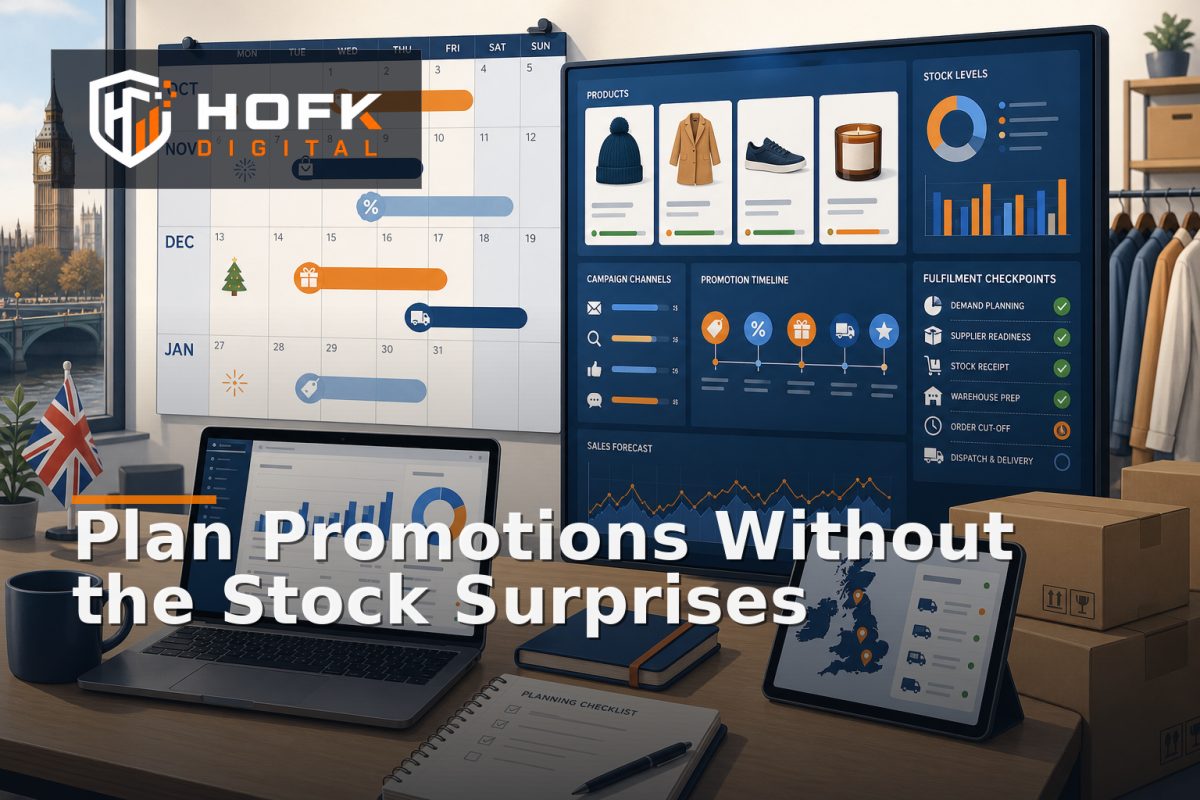
How to Build an Ecommerce Promotion Calendar That Connects Merchandising, Stock and Campaigns
A promotion can be approved, designed and scheduled, yet still fail commercially because the stock is not ready, the landing page is unfinished or fulfilment cannot support the promise. An ecommerce promotion calendar helps prevent that disconnect by giving trading, merchandising, marketing and operations one shared view of what is changing and when.
The aim is not to fill a spreadsheet with campaign dates. It is to connect each promotion to the products involved, the stock position, the customer message, the campaign assets and the operational checks needed before launch.
What an ecommerce promotion calendar should control
A useful calendar should help your team answer five practical questions:
- What are we promoting?
- Why are we promoting it now?
- Do we have enough suitable stock?
- Which customer-facing channels need updating?
- Who must approve and monitor the promotion?
This makes the calendar a trading control rather than a marketing diary. It should cover promotions, seasonal events, product launches, stock-clearing activity, price changes, landing pages, paid campaigns and relevant operational dependencies.
Start with commercial objectives, not dates
Many teams begin with dates such as Black Friday, Christmas or a bank holiday weekend. Those dates matter, but they do not explain what the promotion is supposed to achieve.
For each planned activity, record the primary objective. It might be to:
- Increase sales of a priority category.
- Move slow or seasonal stock.
- Increase average order value through bundles.
- Support a new product or range launch.
- Protect margin by promoting selected products rather than discounting broadly.
- Maintain demand during a quieter trading period.
The objective should influence the mechanics of the promotion. A stock-clearing event may need different products, messaging and reporting from a premium bundle designed to increase basket value.
Build the calendar around promotion records
Each promotion should have its own structured record, even if the calendar is initially managed in a spreadsheet or project tool. A useful record includes:
- Promotion name and internal reference.
- Commercial objective.
- Start date, end date and any preparation deadline.
- Products, variants or categories included.
- Discount type, price rule or bundle mechanic.
- Target audience, market or customer group.
- Channels involved, such as email, paid search, organic, social or marketplace.
- Landing page or destination URL.
- Stock owner, trading owner and campaign owner.
- Approval status and launch decision.
Keep the customer-facing promotion name separate from the internal reference. This helps teams discuss the activity consistently while retaining a stable identifier for reporting, tracking and operational records.
Connect promotions to merchandising decisions
An ecommerce merchandising calendar should show more than which products receive a discount. It should explain how those products will appear across the store.
For each promotion, decide:
- Which category or collection will feature it.
- Whether selected products should be pinned or ranked higher.
- Which related products should be shown as cross-sells.
- Whether a bundle or multi-buy should be created.
- Which products should be excluded to avoid confusing the offer.
- How out-of-stock or low-stock variants will be handled.
This is important because a promotion can be technically active while remaining difficult to find. If the campaign sends traffic to a category page where the promoted products are buried, the discount alone may not solve the commercial problem.
Use a clear merchandising decision for each promotion: feature, support, clear, test or exclude. That is easier to manage than relying on a general instruction such as “give this campaign visibility”.
Check stock readiness before approving the campaign
Stock should be a launch dependency, not a post-launch observation. A promotion that creates demand for products with limited availability can result in substitutions, delayed despatches, customer-service contacts or disappointed buyers.
Before approving the activity, review:
- Available stock by product and variant.
- Expected replenishment dates.
- Warehouse or supplier lead times.
- Stock already allocated to existing orders.
- Whether the promoted quantity can be fulfilled across supported locations.
- Whether the promotion should stop automatically at a stock threshold.
Do not treat stock as a single yes-or-no field. A product may be available in the catalogue but unsuitable for a nationwide campaign if only a small number of units remain or if replenishment is uncertain.
Where customer-facing availability wording is important, align the campaign plan with HOFK's guidance on ecommerce stock availability messaging. The promotion should not promise urgency, delivery or availability that the operation cannot support.
Map campaign dependencies before launch
Online promotion planning becomes more reliable when each promotion has a dependency checklist. This shows what must be ready before the launch decision can be made.
Typical dependencies include:
- Approved product and price data.
- Promotion rules configured in the ecommerce platform.
- Landing page or category page published.
- Creative assets approved for each channel.
- Email, social and paid media schedules prepared.
- Tracking parameters and conversion events tested.
- Stock and fulfilment checks completed.
- Customer-service guidance updated.
- End date or automatic expiry configured.
Give each dependency an owner and status. Avoid using a single status such as “ready” when the campaign still has unresolved stock, tracking or creative risks.
Plan seasonal promotions backwards
Seasonal ecommerce planning works best when the calendar is planned backwards from the customer-facing launch. A promotion may need several weeks of preparation even when the visible campaign lasts only a few days.
A simple backward plan might include:
- Launch date: the promotion is visible to customers.
- Final readiness check: price, stock, landing page, tracking and fulfilment are tested.
- Campaign build: email, paid media, banners and supporting content are prepared.
- Merchandising lock: products, ordering and placement are agreed.
- Commercial approval: the offer, margin and stock exposure are reviewed.
- Initial brief: the objective, scope and likely dependencies are documented.
The exact lead time will depend on catalogue size, approval routes and channel complexity. VERIFY the appropriate preparation window against your own trading cycle and internal capacity.
Include operational readiness in the calendar
Marketing may own the campaign, but operations owns much of the customer promise. Add an operational readiness section to every material promotion.
Check whether customer-service teams know:
- Which products and variants are included.
- How the discount or bundle works.
- What happens if an item sells out.
- Whether orders may be split or delayed.
- How returns, exchanges or exclusions should be explained.
Also consider warehouse capacity, carrier cut-offs and expected order volume. The calendar does not need to predict demand perfectly. It does need to make the operational assumptions visible before the campaign launches.
Use approval stages instead of one final sign-off
A promotion often moves through several decisions. Separating them makes blockers easier to identify.
Useful stages include:
- Draft: the commercial idea is being defined.
- Commercial review: pricing, margin and scope are checked.
- Merchandising review: product selection and placement are agreed.
- Stock review: availability and replenishment are assessed.
- Campaign ready: assets, landing pages and tracking are prepared.
- Approved for launch: named owners accept the remaining risk.
- Live monitoring: performance and exceptions are being reviewed.
- Closed: the promotion has ended and results are recorded.
HOFK's article on auditing ecommerce promotion approval bottlenecks provides related guidance on finding delays before automating or redesigning the approval route.
Monitor the promotion after it launches
A calendar should continue after launch. Monitoring confirms whether the promotion is behaving as intended and whether the customer-facing promise remains accurate.
Useful checks include:
- Promotion visibility on priority pages.
- Discount application in basket and checkout.
- Stock and availability changes.
- Landing page and campaign tracking.
- Conversion rate and average order value.
- Customer-service questions and order corrections.
- Failed jobs, feed errors or integration exceptions.
Do not rely on one metric. A promotion may increase orders while reducing margin, or increase revenue while creating unacceptable fulfilment pressure. Review trading, marketing and operational evidence together.
Close the loop with a post-promotion review
When the promotion ends, record what happened while the information is still fresh. A short review should answer:
- Did the promotion meet its objective?
- Which products and channels performed best?
- Were stock or fulfilment assumptions accurate?
- Which customer questions appeared repeatedly?
- What should be repeated, changed or retired?
Keep the review connected to the original promotion record. This creates a useful history for future online promotion planning and makes seasonal decisions more evidence-led.
Ecommerce promotion calendar checklist
- Every promotion has a named commercial objective.
- Products, variants, exclusions and pricing rules are documented.
- Merchandising placement and ranking decisions are clear.
- Stock, replenishment and fulfilment assumptions are reviewed.
- Landing pages, creative, tracking and channels have owners.
- Approval stages and launch blockers are visible.
- Expiry dates and rollback actions are defined.
- Customer-service and operational teams have the relevant information.
- Live performance and exceptions are monitored.
- A post-promotion review records results and learning.
Where HOFK can help
Promotion planning often crosses ecommerce platforms, product data, responsive websites, SEO, Google Ads, analytics, fulfilment workflows and internal operations. HOFK can help review the calendar structure, improve the campaign journey, connect source data more reliably or support the full stack implementation behind clearer trading workflows.
Relevant support may include ecommerce, full stack development, mobile-ready design and SEO & Google Ads support. The objective is not to add more process for its own sake. It is to help merchandising, stock, campaigns and operations work from the same commercial plan.
Conclusion
An ecommerce promotion calendar is most useful when it connects commercial objectives with product selection, stock readiness, merchandising, campaign delivery and operational capacity. Start with one promotion type, document its dependencies and give each decision a named owner.
Then plan seasonal activity backwards from launch, monitor the live customer promise and record what the business learned afterwards. That creates a more practical ecommerce merchandising calendar and a clearer approach to seasonal ecommerce planning without relying on memory, scattered messages or last-minute fixes.
If your promotions are still managed across separate spreadsheets, inboxes and platform screens, start with the next major campaign and map the last three delays it caused. Those examples will usually show which owners, checks and integrations your ecommerce promotion calendar needs first.
Frequently asked questions
What is an ecommerce promotion calendar?
An ecommerce promotion calendar is a shared planning system that records promotions, products, stock readiness, campaign activity, operational dependencies, owners and review dates.
What should an ecommerce merchandising calendar include?
It should include the products and variants being promoted, category placement, ranking or cross-sell decisions, pricing rules, campaign assets, stock checks and launch ownership.
How far ahead should seasonal ecommerce planning begin?
The right lead time depends on catalogue size, approval stages, stock availability and campaign complexity. Work backwards from launch and VERIFY the preparation window against your own trading cycle.
Who should own an ecommerce promotion calendar?
One person should coordinate the calendar, but commercial, merchandising, marketing, stock, fulfilment and technical owners should each be responsible for their relevant checks.
How can I prevent a promotion launching without enough stock?
Review available and allocated stock, replenishment timing, fulfilment capacity and variant-level availability before approval. Add a named stock owner and define what happens if availability changes.