

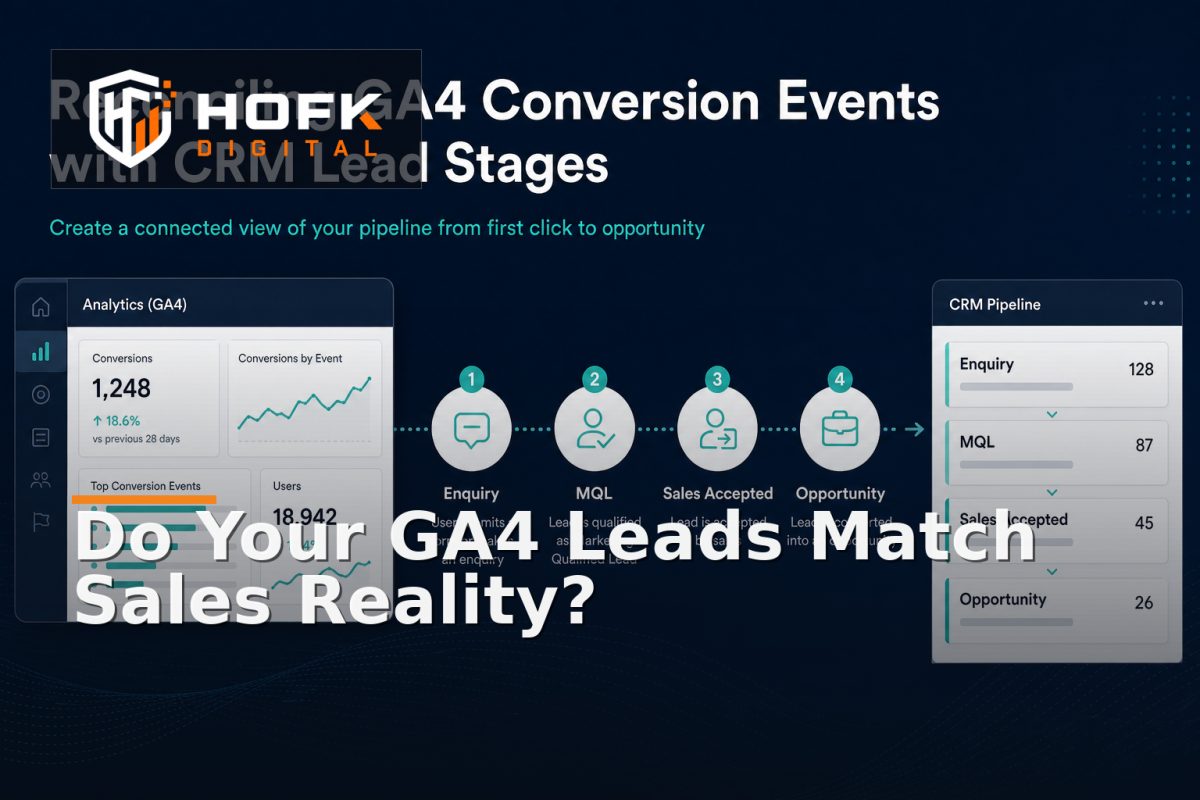
How to Reconcile CRM Lead Stages with Analytics Conversion Events
A form submission can appear as a conversion in GA4 while the CRM later marks the record as unsuitable, duplicated or outside your target market. If marketing reports the first event and sales reports the later outcome, both teams may be looking at accurate data that still does not agree.
This is the practical challenge behind CRM and GA4 lead stage reconciliation. The aim is not to force GA4 and your CRM to show identical numbers. They serve different purposes. GA4 records digital interactions, while the CRM records the commercial progress of a lead. Reconciliation connects those definitions so the business can understand what happened between the first conversion and the eventual sales outcome.
For UK B2B marketing managers and sales operations leads, this creates a more dependable basis for lead funnel tracking reconciliation, GA4 CRM integration and marketing qualified lead reporting.
Why GA4 conversions and CRM stages disagree
The first step is to understand why the mismatch exists. GA4 may record a successful form submission as soon as the website accepts it. The CRM may only create a lead after validation, deduplication or an integration process. A sales user may then qualify, reject or progress that lead several days later.
Common causes include:
- GA4 records a form submission, while the CRM records only accepted leads.
- The same person submits more than one enquiry and creates duplicate records.
- A CRM lead is created manually and has no matching analytics identifier.
- CRM stage names are used inconsistently by different salespeople.
- Lead source or campaign data is overwritten after the initial submission.
- Conversion events fire on button clicks rather than confirmed submissions.
- The website, CRM and analytics platforms use different timestamps or time zones.
These are data-definition and handoff issues, not necessarily evidence that one platform is broken.
Define what each stage actually means
Reliable CRM and GA4 lead stage reconciliation starts with a shared definition of each stage. Avoid using broad labels such as “qualified” or “converted” without documenting the decision behind them.
A B2B lead lifecycle might include:
- Enquiry submitted: the website or another channel has received an initial enquiry.
- Lead created: a CRM record has been created and passed basic data checks.
- Marketing qualified lead: the lead meets agreed marketing criteria, such as relevant service interest, location or business type.
- Sales accepted: sales has reviewed the record and agreed that it deserves follow-up.
- Opportunity created: a defined commercial opportunity exists.
- Won or lost: the opportunity has reached an agreed final outcome.
Your stages may be different. The important point is that each one should have an owner, entry criteria and an observable action. A CRM stage should not mean “someone changed the dropdown”.
Separate GA4 events from CRM lifecycle stages
GA4 events and CRM stages are related, but they are not interchangeable. A website event describes something that happened during a digital journey. A CRM stage describes a business decision or operational outcome.
For example:
- GA4 event:
form_submitrecords that a valid form was submitted. - CRM stage:
lead_createdrecords that the CRM accepted and stored the enquiry. - CRM stage:
marketing_qualifiedrecords that agreed qualification criteria were met.
Do not call every form submission a marketing qualified lead. Doing so can make campaign performance look stronger than the sales process supports. Instead, retain the initial GA4 event and connect it to later CRM outcomes where the data allows.
Build a stage-to-event mapping table
A simple mapping table gives marketing, sales and development one shared reference. It should show which event or CRM state represents each step, when it happens and who owns it.
| Business stage | System of record | Evidence | Reporting use |
|---|---|---|---|
| Enquiry submitted | Website and GA4 | Confirmed server-side form submission | Early conversion reporting |
| Lead created | CRM | Unique CRM record ID | Handoff monitoring |
| Marketing qualified | CRM | Defined qualification criteria | Marketing quality reporting |
| Sales accepted | CRM | Named sales owner and acceptance action | Campaign and sales alignment |
| Opportunity created | CRM | Opportunity record and value context | Pipeline reporting |
For each stage, record whether it should be sent to GA4, imported into Google Ads, used only for CRM reporting or treated as a diagnostic state.
Use stable identifiers across the handoff
Reconciliation is difficult if the website, GA4 and CRM cannot identify the same lead. Use a stable lead or enquiry reference wherever the platform setup and data governance allow.
Useful references may include:
- Website submission ID.
- CRM lead ID.
- Opportunity ID.
- Supported advertising click ID.
- Original campaign, source and medium.
- Submission and stage-change timestamps.
Do not use an email address as the only join key. It can change, be shared, appear on duplicate records or create unnecessary privacy concerns. A CRM record ID or controlled enquiry reference is usually more dependable.
Reconcile the funnel by handoff layer
When numbers disagree, compare one real lead through each layer rather than starting with an aggregate dashboard.
- Confirm that the visitor completed the intended form journey.
- Check that the website stored or submitted the enquiry successfully.
- Confirm that the CRM created one record with the expected source fields.
- Check whether the record reached the intended CRM stage.
- Compare the stage-change date with the analytics and CRM timestamps.
- Review whether the later outcome was sent to advertising or reporting systems correctly.
This approach shows where the data first diverges. For example, if the website submission exists but no CRM record was created, the issue is in the integration. If the CRM record exists but the source is missing, the issue is in attribution persistence. If the source is correct but the lead was marked qualified inconsistently, the problem is process governance.
Handle duplicates and rejected leads explicitly
Not every form submission should become a separate marketing outcome. Agree how to treat duplicate enquiries, existing customers, spam, job applications, unsuitable locations and leads that cannot be contacted.
Possible rules include:
- Keep the original submission but link duplicates to the existing CRM record.
- Do not count rejected or spam records as marketing qualified leads.
- Retain the original source when a lead is merged or reassigned.
- Record a rejection reason using controlled values.
- Keep reopened opportunities distinct from genuinely new leads.
Do not delete uncertain records simply to make reports look cleaner. A visible rejected, duplicate or unknown category is more useful than an unexplained gap.
Set rules for timestamps and reporting windows
A GA4 conversion may occur on Monday, while a CRM qualification stage is applied on Thursday. That is normal. The reporting model should make the difference clear rather than treating it as an error.
Decide whether reports are based on:
- The date of the original online conversion.
- The date the CRM stage changed.
- The date the opportunity was created.
- The date revenue was recorded.
For marketing performance, preserving the original conversion date and source is usually important. For sales operations, the stage-change date may be more useful. Both can be reported, provided their meanings are documented.
Use a reconciliation report that leads to action
A useful reconciliation report should not only compare totals. It should expose exceptions that someone can investigate.
Useful measures include:
- Website submissions without a CRM record.
- CRM records without a usable source or click ID.
- Duplicate leads by source and campaign.
- Leads stuck in an initial stage beyond the expected review period.
- Marketing qualified leads not accepted by sales.
- CRM stages changed without the required evidence.
- Records sent to Google Ads but rejected or unmatched.
Give each exception a named owner and next action. Reporting should help the team repair the handoff, improve the form, clarify qualification or investigate a technical failure.
Test before changing optimisation or budgets
Do not change Google Ads bidding or reallocate marketing budget until the stage mapping has been tested. First run controlled submissions through the website, move test records through the relevant CRM stages and confirm the resulting events or imports.
Test normal and difficult cases:
- Valid new enquiry.
- Duplicate submission.
- Rejected or unsuitable enquiry.
- Existing customer requesting a new service.
- Lead created after consent is refused or delayed.
- CRM stage changed after a long delay.
- Record merged or reassigned by sales.
Only after these cases reconcile should the business rely on the data for marketing qualified lead reporting or automated campaign optimisation.
CRM and GA4 lead stage reconciliation checklist
- Every CRM stage has a plain-English definition.
- GA4 events are separated from CRM business stages.
- Stage-to-event mappings have named owners.
- Stable identifiers connect website, CRM and advertising records.
- Duplicate, rejected and reopened leads have documented treatment.
- Original source and later CRM stages remain separate.
- Timestamp rules are documented for reporting.
- Exceptions have owners and next actions.
- Controlled test records have been reconciled before budget changes.
Conclusion
CRM and GA4 lead stage reconciliation works best when the business treats analytics events and CRM stages as connected but different records. Define each stage, map it to observable evidence, preserve stable identifiers and compare the funnel one handoff at a time.
That approach makes lead funnel tracking reconciliation more useful, improves GA4 CRM integration and gives marketing managers a clearer basis for marketing qualified lead reporting. Start with one form, one service line and one CRM route. Reconcile a small sample of real journeys, then expand the model once the definitions and ownership are trusted.
Frequently asked questions
What is CRM and GA4 lead stage reconciliation?
It is the process of comparing website and GA4 conversion events with later CRM stages so marketing and sales can understand the full lead journey.
Should every GA4 form submission become a marketing qualified lead?
No. A form submission is an early digital event. A marketing qualified lead should meet agreed business criteria recorded in the CRM.
What identifiers are useful for GA4 CRM integration?
Use stable website, CRM and opportunity references, alongside supported advertising click IDs and campaign fields where appropriate. Do not rely on email address alone.
Why do GA4 and CRM lead totals differ?
They may count different stages, use different dates, handle duplicates differently or lose records during the website-to-CRM handoff. Reconcile one lead through each layer to find the first divergence.
How can lead funnel tracking reconciliation improve reporting?
It shows which campaigns create initial enquiries and which produce qualified, sales-accepted or opportunity-stage leads, helping teams judge lead quality rather than volume alone.