

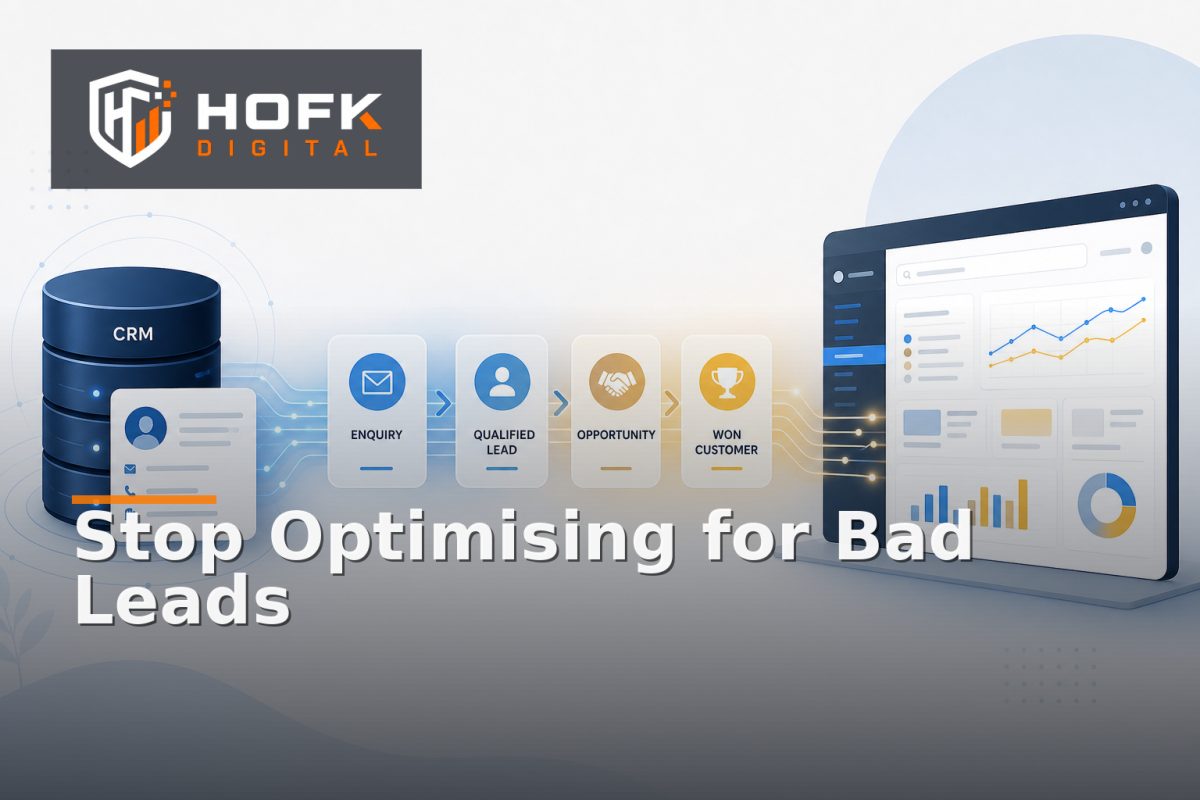
How to Use Google Ads Offline Conversion Imports to Improve Lead Quality
A form submission is not necessarily a good lead. It may be incomplete, outside your service area, too small for your commercial model or impossible for the sales team to contact. If Google Ads is optimising only for the initial form completion, it cannot see what happens afterwards.
Google Ads offline conversion imports help close that gap. They allow a business to send meaningful outcomes from its CRM back into Google Ads, such as a qualified lead, sales-accepted opportunity, proposal or won customer. The campaign can then be assessed against the quality of the enquiries it creates rather than the number of forms it generates.
This guide is for UK B2B marketing teams connecting CRM outcomes to paid search. It focuses on the practical data flow, including identifiers, conversion stages, import rules, testing and the decisions that need to be agreed before implementation.
Why form submissions are a weak optimisation signal
Form submissions are useful as an early indicator, but they are often too broad to represent commercial value. A campaign may produce many enquiries while creating very few conversations that sales can pursue.
Common reasons include:
- The prospect is looking for employment, training or free information.
- The company is outside the service area or target market.
- The project is too small, too early or unsuitable for the service.
- The contact details are incomplete or cannot be verified.
- The lead is duplicated in the CRM or already belongs to an existing opportunity.
If all of these submissions are treated as equal conversions, automated bidding receives a distorted picture. The account may favour the traffic that creates the most forms, even when another campaign creates fewer but substantially better opportunities.
What offline conversion tracking adds
Offline conversion tracking connects an online interaction with an outcome recorded later in another system. In a B2B process, the journey may look like this:
- A prospect clicks a Google Ads advert.
- The landing page captures the enquiry and a usable click identifier.
- The CRM creates a lead record.
- A member of the team qualifies, rejects or progresses the lead.
- The resulting CRM stage is sent back to Google Ads.
The imported event does not replace the original lead conversion. It adds a later, more commercially meaningful signal. This gives marketing and sales a shared view of whether paid search is producing opportunities worth pursuing.
Depending on your sales process, useful stages might include qualified lead, sales accepted, opportunity created, proposal sent and customer won. You do not necessarily need to import every CRM status. Start with the stages that are defined consistently and lead to a real decision.
Design the CRM conversion import around business stages
A CRM conversion import works best when each imported conversion has a clear business meaning. Avoid sending a status called “good lead” if different salespeople apply it differently.
For each proposed stage, document:
- What the stage means in plain English.
- Who is allowed to assign it.
- What evidence is required.
- Whether the stage can move backwards.
- Whether it should be imported into Google Ads.
- Whether it is used for reporting, bidding or both.
For example, a qualified lead might require a valid company, a relevant service requirement and a realistic buying timeframe. The exact definition should come from your sales process rather than from the advertising platform.
VERIFY: Google Ads conversion action settings, attribution options and available import methods can change. Check the current Google documentation and your account configuration before implementation.
Choose one primary optimisation signal
It is tempting to import every positive CRM event immediately. That can create a noisy account where bidding systems receive several overlapping signals for the same opportunity.
A clearer model usually has:
- Primary conversion: the stage used to guide campaign optimisation.
- Secondary conversions: useful stages retained for reporting and analysis.
- Diagnostic events: lower-level events used to investigate the journey but not used for bidding.
For a shorter B2B sales cycle, the primary signal might be a sales-accepted lead. For a longer or higher-value process, an opportunity or proposal stage may be more useful, provided enough volume exists for the campaigns to learn from it.
Do not choose the deepest possible stage simply because it sounds more valuable. If only a handful of opportunities reach that stage each month, the signal may be too sparse for reliable optimisation. A slightly earlier stage with consistent definitions can be more useful.
Preserve the identifier from click to CRM
The technical foundation of Google Ads offline conversion imports is the join between the advert interaction and the CRM record. Google Ads needs a reliable way to recognise which click led to the later outcome.
Depending on your setup, this may involve a Google click identifier or another supported identifier captured at the first visit and stored with the lead. The value needs to survive the journey through:
- Landing page loading and redirects.
- Consent and form interaction.
- Validation errors or multi-step forms.
- CRM creation and deduplication.
- Sales activity and later stage changes.
Do not rely on a browser session alone. A prospect may return days later, use a different device or speak to sales before the CRM stage changes. Store the identifier against the lead record, subject to your data governance and consent requirements.
Useful CRM fields may include the lead ID, original source, campaign, landing page, click identifier, first conversion timestamp and latest imported stage. Keep the original source separate from later sales updates so the record remains auditable.
Set rules for duplicate and rejected leads
Import quality depends on how the CRM handles duplicates. If the same organisation submits two forms, the business needs a rule for whether those records represent one opportunity or two separate buying journeys.
Before importing outcomes, agree how to handle:
- Duplicate enquiries from the same company.
- Existing customers requesting an additional service.
- Leads with missing or invalid click identifiers.
- Opportunities created from both online and offline sources.
- Leads that are re-opened after being marked closed.
Do not manufacture an attribution match when the identifier is missing. Keep the outcome in the CRM, mark the advertising link as unknown where appropriate and report the size of the unmatched group. A transparent gap is more useful than an invented connection.
Use conversion values carefully
Some teams import only a conversion count. Others assign different values to qualified leads, opportunities or won work. Both approaches can be reasonable, but the value model should be explainable.
A value might reflect expected commercial importance rather than confirmed revenue. If so, label it internally as an estimated value and document how it was calculated. Avoid presenting an early-stage estimate as actual sales revenue.
For example, you might assign a higher value to an opportunity than to a qualified lead because it has passed a further review stage. The value should reflect your own sales evidence, margins, deal sizes and qualification rules.
VERIFY: value-based bidding, currency handling and conversion value rules should be checked against your current Google Ads account and commercial reporting model.
Test the full data path before changing bidding
Do not start by importing a large historical file and immediately changing campaign bidding. Test one or two controlled records first.
A practical test sequence is:
- Create a controlled visit using a campaign-tagged landing page.
- Submit a test enquiry and confirm the CRM stores the relevant identifier.
- Move the test record to the intended CRM stage.
- Export or send the outcome using the chosen import method.
- Check whether Google Ads accepts the conversion.
- Compare the event date, conversion name, identifier and value.
Also test failure cases. What happens if the CRM identifier is blank? What happens if the same outcome is sent twice? What happens if a lead is rejected and later reopened? These cases reveal whether the process is robust or merely successful on the clean path.
Reconcile imported conversions with CRM records
A useful implementation should support a simple reconciliation report. For a selected period, compare:
- CRM records that reached the import stage.
- Records with a usable advertising identifier.
- Conversions sent to Google Ads.
- Conversions accepted by Google Ads.
- Records that failed, duplicated or remained unmatched.
Investigate unexpected differences by hand. A mismatch may be caused by timing, consent, missing identifiers, CRM deduplication or a conversion action configured incorrectly. This is different from changing a dashboard because the purpose is to find the first point where the records diverge.
HOFK’s guide to tracing GA4, CRM and order mismatches by handoff layer covers a related reconciliation method. The same principle applies here: compare each handoff rather than assuming the final report explains the cause.
Use imported outcomes to improve lead quality PPC optimisation
Once the import is stable, use it to ask better campaign questions. Do not judge performance only by cost per lead.
Compare campaigns and search themes by:
- Cost per enquiry.
- Qualified lead rate.
- Sales acceptance rate.
- Opportunity creation rate.
- Cost per qualified opportunity.
- Pipeline or expected value, where the data supports it.
This is the practical basis of lead quality PPC optimisation. A campaign with a higher cost per form may still be stronger if it produces more commercially suitable opportunities. Conversely, a low-cost campaign may be expensive once rejected or uncontactable leads are considered.
Review the results with sales. Marketing data can identify a pattern, but sales feedback can explain whether the imported stages genuinely represent useful conversations or whether the qualification rules need tightening.
Keep the operating process simple
Offline imports are most useful when the CRM process is consistent enough to produce dependable outcomes. If salespeople skip stages, overwrite sources or use free-text notes instead of structured fields, the advertising data will become difficult to trust.
Start with a small governance routine:
- Review unmatched identifiers each week.
- Check rejected imports and recurring errors.
- Sample imported leads against the CRM history.
- Review whether stage definitions are still being applied consistently.
- Document any changes to conversion actions or import logic.
HOFK’s article on creating a Google Tag Manager governance register is relevant where the wider measurement setup also needs clear ownership and change control.
Google Ads offline conversion imports checklist
- Define the commercial stages that matter.
- Choose one primary optimisation signal.
- Capture and store the supported click identifier.
- Keep source, campaign and CRM outcome fields separate.
- Set rules for duplicates, reopened leads and unmatched records.
- Decide whether imported values represent counts or estimated value.
- Test accepted, rejected and duplicate import scenarios.
- Reconcile CRM outcomes with Google Ads import results.
- Review qualified lead rate alongside form volume.
- Give marketing and sales shared ownership of the definitions.
Where HOFK can help
Connecting CRM outcomes to paid search can cross landing pages, forms, consent, Google Tag Manager, Google Ads, CRM fields and internal sales processes. HOFK can help review the handoff, improve the measurement structure or support the full stack development and automation behind a more dependable workflow.
Relevant support may include SEO and Google Ads support, conversion tracking reviews, CRM data mapping, responsive landing-page improvements and monitoring around failed or delayed handoffs. The aim is not to import more data for its own sake. It is to give your team a clearer basis for deciding which paid traffic creates useful commercial opportunities.
Conclusion
Google Ads offline conversion imports give B2B marketing teams a way to connect paid search with what happens after the form submission. By importing consistent CRM outcomes, you can move from optimising for enquiry volume towards understanding qualified leads, sales acceptance and genuine opportunity creation.
Start with clear stage definitions, preserve the identifier from click to CRM, test the complete handoff and reconcile accepted imports against real records. Then use qualified lead rate and opportunity progression alongside cost per lead when reviewing campaigns.
The best offline conversion tracking setup is not the most complicated one. It is the one your marketing, sales and technical teams can define, test and maintain consistently. When the CRM and advertising account share a clearer view of lead quality, PPC optimisation becomes more commercially useful.
Frequently asked questions
What are Google Ads offline conversion imports?
They are CRM or business-system outcomes sent back to Google Ads after the initial online interaction. Examples include qualified leads, sales-accepted leads, opportunities and won customers.
Why use offline conversion tracking for B2B marketing?
Because a form submission does not show whether an enquiry was suitable, accepted by sales or progressed commercially. Offline tracking adds those later outcomes to campaign analysis.
What data is needed for a CRM conversion import?
You normally need a supported advertising identifier linked to the CRM record, the relevant conversion action, the outcome date and any value or currency information required by the account setup. VERIFY the exact fields against current Google Ads documentation.
Should every CRM stage be imported into Google Ads?
No. Start with clearly defined stages that support a real marketing or bidding decision. Importing too many overlapping events can make performance harder to interpret.
Can offline conversion imports improve lead quality PPC optimisation?
Yes, when the CRM stages are consistent and the imported records can be matched reliably. They help teams compare campaigns by qualified outcomes rather than form volume alone.