

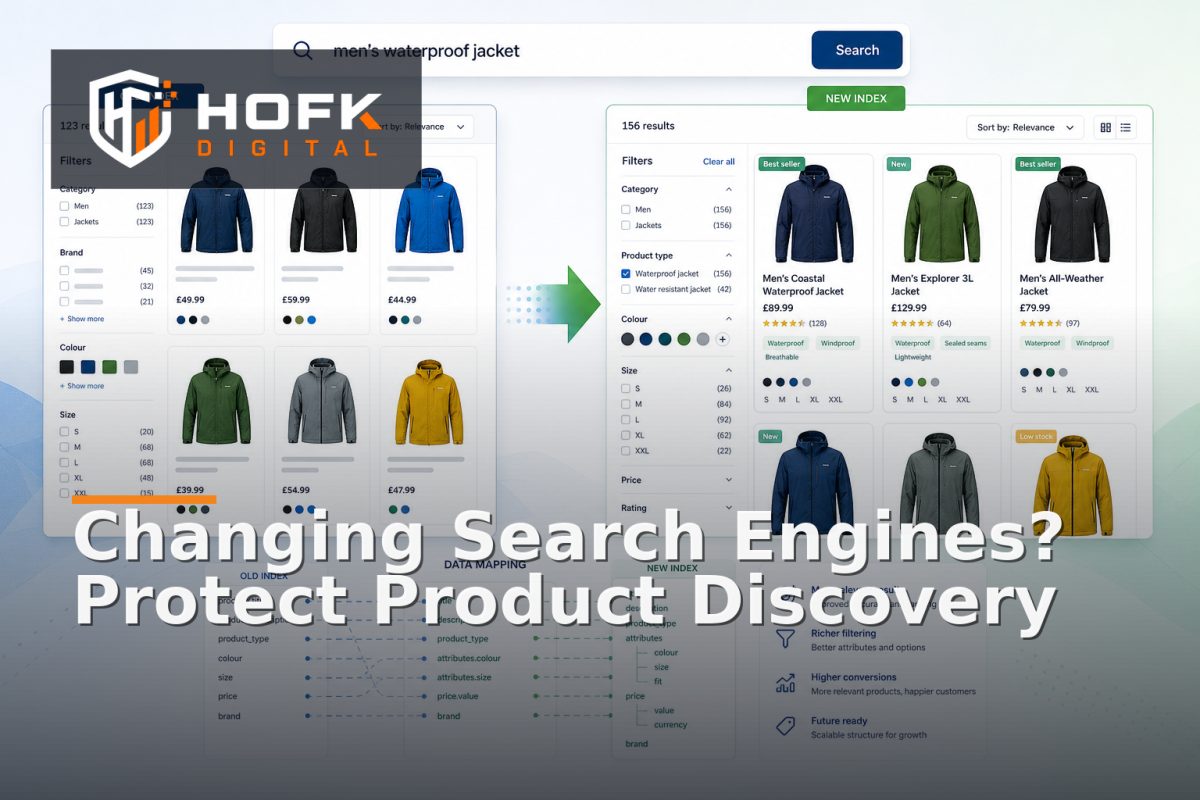
How to Plan Ecommerce Search Migration When the New Platform Uses Different Indexes
A search migration can leave the website looking familiar while quietly making products harder to find. The new platform may contain the same catalogue, but use different fields, tokenisation, synonyms, filters, ranking signals or indexing schedules. As a result, a query that previously returned useful products may now show weaker matches, incomplete variants or no results at all.
This is the central challenge of ecommerce search migration: moving product discovery between search systems without assuming that an identical data import will produce an identical search experience.
For UK ecommerce product owners and technical leads, the safest approach is to treat search as a product and operational dependency, not as a final platform setting. Map how the current search works, understand what the new index expects, test real queries and monitor behaviour after launch.
Why different indexes create migration risk
An index is not simply a copy of your product catalogue. It is a search-optimised representation of that catalogue. It may contain processed fields, tokenised text, synonyms, facet values, boosts, availability rules and calculated ranking signals.
Two platforms can receive the same product title, SKU and description but produce different results because they handle the data differently. Common differences include:
- Which fields are searchable, filterable or sortable.
- Whether product and variant records are indexed separately.
- How plurals, spelling variations and hyphenated terms are handled.
- Whether synonyms are configured globally, by category or by market.
- How stock, popularity, margin or merchandising boosts affect ranking.
- How quickly catalogue changes become searchable.
That means a successful product import does not prove that product search migration has succeeded. You must compare the customer-facing results and the business rules behind them.
Define what the current search is supposed to do
Before mapping the new index, document the current search experience. Do not rely only on what the existing search provider claims to support. Use real queries, analytics and feedback from customer-service or trading teams.
Record how the current system handles:
- Exact product names, SKUs and manufacturer references.
- Common customer language and internal terminology.
- Misspellings, abbreviations and singular or plural terms.
- Product variants such as size, colour, capacity or pack quantity.
- Category, brand, compatibility and technical filters.
- Out-of-stock, discontinued and available-to-order products.
- No-result searches and alternative suggestions.
This gives you a behavioural baseline. The objective is not necessarily to preserve every old implementation detail. It is to identify the search outcomes that customers and staff rely on.
Build an index-to-index mapping document
A normal catalogue migration maps source fields to destination fields. An ecommerce search migration needs an additional mapping between the old index and the new index.
Create a table covering:
- Current index field and purpose.
- New index field and purpose.
- Source system for the value.
- Transformation or normalisation rule.
- Whether the field is searchable, filterable or sortable.
- Whether it affects ranking or display only.
- Owner responsible for approving the mapping.
For example, the existing search may use a combined searchable field containing product name, brand, SKU and compatibility terms. The new platform may expect these as separate weighted fields. That is not a one-to-one copy. It is a search design decision.
Also document fields that should not be indexed. Internal supplier notes, operational comments, unpublished pricing or private account information should not become searchable simply because they are present in the source record.
Separate products, variants and offers correctly
Variant handling is one of the most common causes of poor results after site search replatforming. The old platform may index one parent product with variant attributes. The new platform may index each sellable variant separately, or it may expect a parent record with nested children.
Decide deliberately:
- What appears as the main search result.
- Whether variants are searchable individually.
- Which variant attributes can be used as filters.
- How variant availability affects the parent result.
- Which SKU, GTIN or product reference is returned after selection.
A shopper searching for a specific size, colour or pack should not be sent to a product page that cannot represent that choice. Likewise, indexing every variant as a separate result may create repetitive listings if the customer experience expects one parent product.
HOFK's guidance on modelling ecommerce product variants provides useful context for separating catalogue products, sellable variants, offers and stock records before mapping them into a new search index.
Plan relevance rules, not just field mappings
Search relevance is the practical meaning of ranking. The new platform may use different defaults, so document which signals should influence result order.
Possible signals include:
- Exact matches in the product name or SKU.
- Matches in brand, category or compatibility fields.
- Search-term proximity and frequency.
- Product availability and delivery capability.
- Popularity, conversion or sales history.
- Commercial merchandising priorities.
Do not assume that a higher ranking is always better. If a low-stock product is repeatedly shown first, customers may encounter disappointment. If a high-margin product is boosted above a more relevant match, search quality may suffer. Relevance rules should balance customer intent with approved commercial priorities.
Use a query test set for ecommerce search relevance testing
Before launch, create a repeatable set of representative queries. This is the foundation of useful ecommerce search relevance testing.
Include queries from several groups:
- Exact queries: product names, SKUs, model numbers and manufacturer references.
- Natural-language queries: the words customers use in support requests, sales conversations and onsite search.
- Variant queries: searches containing size, colour, capacity, material or pack terms.
- Problem-led queries: searches describing a need rather than naming a product.
- Misspellings and abbreviations: common errors that the current system handles well.
- Commercial priority queries: terms linked to important categories, campaigns or product ranges.
- No-result queries: searches that should produce helpful alternatives rather than a dead end.
For every query, record the expected result set, acceptable alternatives, ranking concerns and actual result from both platforms. This turns subjective feedback into a testable comparison.
Test filters and search state separately
Search results can look correct while filtering is broken. Test the relationship between the query and the available facets. Applying a brand, size or compatibility filter should refine the result set without silently clearing the original search term.
Check:
- Filter labels and values match the catalogue.
- Selected filters remain visible after refresh where intended.
- Removing one filter does not clear unrelated selections.
- Empty combinations produce a useful message.
- Mobile filter drawers preserve the same state as desktop.
- Filtered URLs follow the agreed SEO and analytics treatment.
HOFK's existing guidance on ecommerce faceted navigation SEO is relevant where filtering creates crawlable URLs or indexation decisions. Search usability and SEO policy should be planned together, but they are not the same decision.
Run a controlled parallel comparison
If practical, compare the old and new search systems before switching all customers over. A read-only comparison or controlled user group can reveal problems that scripted tests miss.
Keep one system authoritative for live orders, stock and customer-facing commitments. The comparison system should not create duplicate orders or update operational records unless that behaviour has been designed and tested explicitly.
During the comparison, record:
- Query and user context.
- Results returned by each system.
- Ranking differences.
- Zero-result or low-result outcomes.
- Response time and timeout behaviour.
- Filter and pagination differences.
Use the differences to improve the new search rather than trying to force visual or ranking equality where the platform architecture is genuinely different.
Plan cutover checks for product search migration
Before switching the live search route, agree the cutover checks and owners. A useful launch check should confirm that:
- The new index contains the expected product and variant population.
- Priority SKUs can be found by name and identifier.
- Prices, stock and availability messages match the approved source.
- Search, filters, sorting and pagination work on mobile and desktop.
- No-result queries have a useful fallback.
- Analytics events identify search terms, refinements and product clicks.
- Rollback or route-switch instructions are available.
Do not approve the migration solely because the index import completed. The customer journey and operational data handoffs need to be checked as well.
Monitor search after launch
Search quality often changes after real traffic arrives. New query patterns, campaign demand, seasonal terms and product updates can expose gaps that were not present in the test set.
Monitor:
- Zero-result searches and repeated search refinements.
- Search-to-product click-through rate.
- Search exits and category dead ends.
- Queries with high volume but low product engagement.
- Search response times and failed requests.
- Differences in behaviour by device, market or customer type.
HOFK's article on alerts for zero-result searches and category dead-ends covers a practical monitoring approach. Give each recurring issue an owner and next action. A dashboard without ownership will not improve discovery.
What to document after the migration
Keep a short record of the new index design, relevance rules, synonym decisions, test queries, known differences and monitoring thresholds. This becomes valuable when a future developer, merchandiser or agency needs to understand why a result is ranked in a particular way.
Also record which changes require a rebuild or reindex, how quickly catalogue updates become searchable, and who can change boosts, synonyms or filters. Search governance is easier when technical and commercial ownership are explicit.
Conclusion
A successful ecommerce search migration is not proven by moving product records from one system to another. It is proven when customers can still find relevant products, filters reflect the catalogue, variants remain understandable and search behaviour can be monitored after launch.
Map the old and new indexes, separate products from variants and offers, define relevance rules, create a representative query set and test the complete journey before cutover. Then monitor zero-result searches, refinements and product discovery so the new platform continues to improve.
If your site search replatforming project needs stronger data mapping, relevance testing or full stack implementation, HOFK can help with ecommerce support, full stack development and practical monitoring around the customer journeys that matter.
Frequently asked questions
What is ecommerce search migration?
Ecommerce search migration is the process of moving product discovery from one search system or platform to another while preserving useful queries, filters, ranking behaviour and customer-facing results.
Why can search results change when the catalogue stays the same?
Search platforms may use different index fields, tokenisation, synonyms, ranking signals, variant structures and availability rules. The same source data can therefore produce different results.
How should product search migration be tested?
Use a representative query set covering product names, SKUs, natural-language searches, variants, misspellings, commercial priorities and no-result queries. Compare expected and actual results on both platforms.
Should old and new search systems run in parallel?
A controlled comparison can reduce risk when practical, but one system should remain authoritative for live orders, stock and customer commitments. Avoid creating duplicate operational updates.
What should be monitored after site search replatforming?
Monitor zero-result searches, refinements, search-to-product clicks, category dead ends, response times and differences by device, market or customer type.