

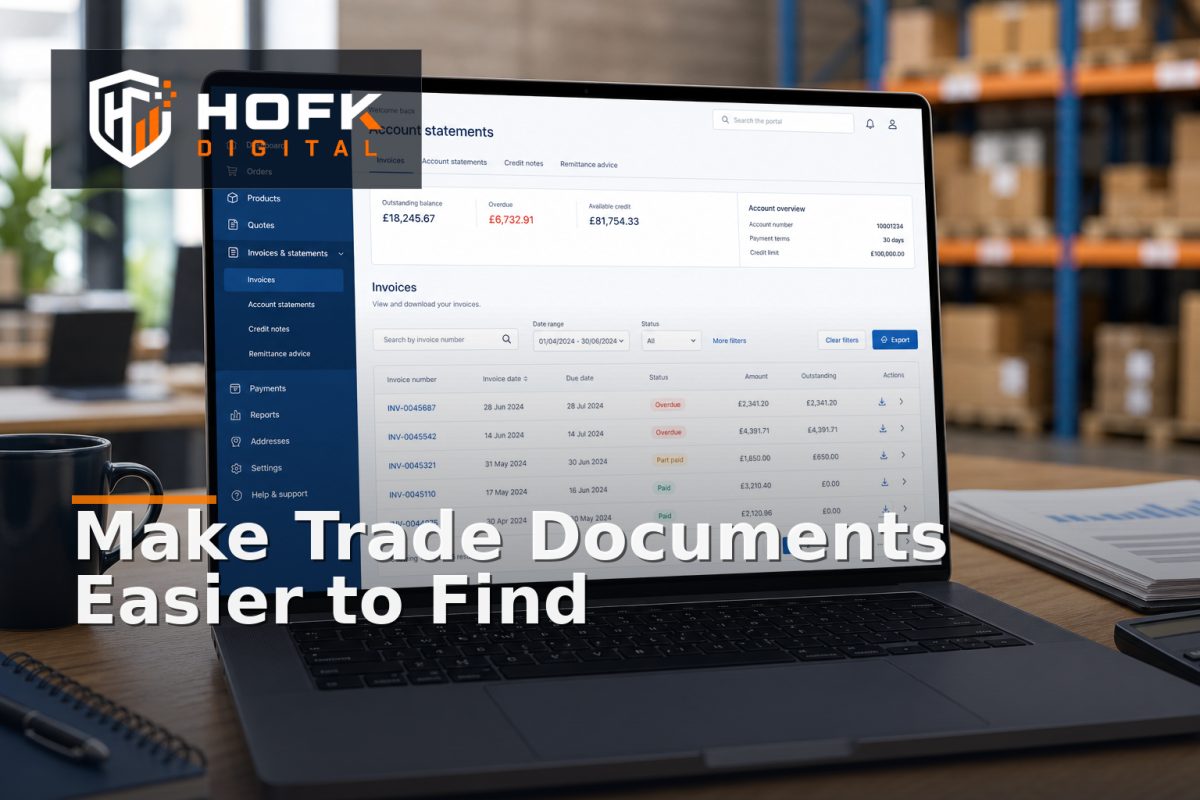
How to Design B2B Invoice and Statement Access in a Trade Portal
A trade customer may be able to place an order online, but still need to email your finance team for a copy of the invoice. That creates avoidable work for both sides. Customers wait for documents, finance teams search across systems, and account managers become involved in routine queries.
Good B2B trade portal invoice access should give authorised customers a reliable way to find invoices, credit notes and account statements without exposing information they should not see. The challenge is not simply adding a downloads page. It is connecting customer accounts, document permissions, ERP records, payment status and portal search into one dependable workflow.
This guide explains how UK B2B portal owners, finance leads and customer operations managers can design trade account document access that is useful for customers and manageable for internal teams.
Start with the finance questions the portal must answer
Before designing screens, list the questions customers and internal teams need to answer. A typical B2B invoice portal may need to help a user find:
- Invoices issued to their account.
- Credit notes or adjustments.
- Outstanding balances and due dates.
- Paid, overdue or disputed documents.
- Statements covering a selected date range.
- Documents for a branch, project or delivery location.
These questions should shape the portal structure. A customer may not care which ERP table contains the invoice. They care whether they can find the correct document, download it, understand its status and contact the right person if something does not look right.
Define the account and document relationship
Invoice access should be linked to a stable commercial account, not only to a user email address. A B2B customer may have a parent account, several branches, multiple portal users and separate billing or delivery locations.
Define how these records relate:
- Parent account: the main trading or billing relationship.
- Branch or site: a permitted operating location where relevant.
- Portal user: an individual with defined access rights.
- Financial document: an invoice, credit note or statement linked to the correct account.
- Order reference: the transaction or transactions behind the document.
This prevents a common mistake in customer account statements ecommerce: showing every document connected to a company record without considering the user, branch or account scope.
Design permissions before the document library
Trade account document access should be based on roles and account relationships. Not every portal user should be able to view every financial document.
Possible permission levels include:
- View own documents: the user can see documents connected to their permitted account or branch.
- View parent-account documents: an authorised finance or procurement user can see documents across approved branches.
- Download documents: the user can download PDFs or exports where permitted.
- View balances: the user can see account-level outstanding information.
- Request clarification: the user can raise a query against a specific invoice or statement.
- Manage access: an account administrator can request or approve additional users.
Do not rely only on hiding buttons. The permission should also be enforced when the user requests a document directly, changes a URL, uses an old bookmark or calls an API endpoint. A user who cannot see an invoice in the interface should not be able to retrieve it by guessing a document ID.
Separate invoices, credit notes and statements
A document library becomes confusing when every financial record is shown as a generic PDF. Use distinct document types and statuses so customers understand what they are viewing.
Useful document types may include:
- Invoice.
- Credit note.
- Pro-forma or draft document, where applicable.
- Account statement.
- Remittance or payment record, if supported by the process.
Keep the document type separate from the payment status. An invoice may be issued but unpaid, paid, overdue or disputed. A credit note may be issued but not yet allocated. A statement may summarise several documents rather than represent a payment request itself.
Customer-facing wording should be clear and should reflect the approved finance process. VERIFY the exact treatment of tax, VAT wording, document numbering and payment status with the relevant finance owner before implementation.
Connect the portal to the financial source of truth
A B2B invoice portal should not become a second, manually maintained finance system. Decide which system owns each field and how documents reach the portal.
For example, an ERP or finance system may own:
- Invoice number and issue date.
- Customer account reference.
- Invoice lines, totals and currency.
- Tax or VAT values.
- Payment and allocation status.
- Credit note relationships.
- Document generation and final PDF storage.
The portal may own presentation, search filters, user permissions and query submission. Keeping those responsibilities separate makes reconciliation easier and reduces the risk of a portal user seeing a stale or incomplete financial record.
Document whether the portal receives records through an API, scheduled feed, webhook, secure file transfer or another controlled route. Record the expected delay and what happens if a document fails to arrive.
Make document states visible and actionable
Customers need to know whether a document is ready to use. A simple status model might include:
- Preparing.
- Issued and available.
- Payment pending.
- Paid.
- Partially allocated.
- Overdue.
- Disputed or under review.
- Superseded or cancelled.
- Unavailable temporarily.
Do not show a document as downloadable before the final approved version is available. If the ERP has created an invoice record but the PDF is still being generated, show a clear pending state or temporarily hide the download action.
Every exception should have a next action. For example, a missing PDF may need technical investigation, while a disputed invoice should route to finance or the account owner.
Build useful search and filtering
Trade customers may have hundreds of invoices. A simple chronological list will not be enough for larger accounts. The portal should support the references customers and finance teams actually use.
Useful filters can include:
- Invoice, credit note or statement type.
- Document number.
- Purchase order reference.
- Order reference.
- Issue date or date range.
- Due date.
- Payment status.
- Branch, site or account scope.
Search should be tolerant enough to support normal customer behaviour but controlled enough to avoid exposing partial matches from another account. Test search with spaces, prefixes, old references and purchase order formats used by real customers.
Protect documents and personal information
Invoices and statements can contain customer names, addresses, pricing, payment terms and account information. Treat document access as a protected business process rather than a public file-download feature.
Review:
- Authentication and session handling.
- Role and account-level authorisation.
- Secure document URLs or controlled download endpoints.
- Access logging for sensitive documents.
- Protection against predictable file names or IDs.
- Appropriate retention and deletion rules.
- Restrictions on bulk exports.
Do not place confidential documents in a publicly accessible folder simply because the URL is difficult to guess. The download request should be authorised at the point of access.
Retention, access and document-handling requirements should be reviewed with the relevant technical, finance and compliance owners. VERIFY the appropriate policy for your systems and customer agreements.
Give customers a route to query an invoice
Self-service access should reduce routine queries, not make unusual queries harder. Add a clear action beside each document, such as Ask about this invoice or Report a discrepancy.
The query should retain useful context:
- Customer account and user reference.
- Document number.
- Order or purchase order reference.
- Reason for the query.
- Customer message and attachments, where appropriate.
- Assigned owner and current status.
This creates a better handoff than asking the customer to copy an invoice number into a general email. It also gives finance a visible queue for disputed or unclear documents.
Test the complete document journey
Do not approve B2B trade portal invoice access because a test user can see a PDF. Test the journey from ERP or finance source through to the customer account.
- Create or identify a controlled test invoice.
- Confirm the document is linked to the correct account and branch.
- Check the portal status and visible metadata.
- Search for the document using its invoice and purchase order references.
- Download the document as an authorised user.
- Confirm an unauthorised account cannot access it.
- Test a credit note, paid invoice and disputed-document scenario.
- Check the internal finance or support record created by a query.
Also test delayed documents, duplicate records, amended invoices and a user whose account access changes after the document was issued.
Create a practical launch checklist
- Account, branch and user relationships are documented.
- Invoice, credit note and statement types are separate.
- Source-of-truth fields are agreed with finance.
- Document statuses have clear meanings and next actions.
- Search and filters use real customer references.
- Downloads are protected by server-side authorisation.
- Queries retain the relevant invoice or statement context.
- Representative documents and account roles have been tested.
- ERP, portal and finance records can be reconciled.
- Document access failures and missing files are monitored.
Where HOFK can help
Trade portal document access can cross ecommerce platforms, ERP or finance systems, account permissions, document storage, customer service and operational workflows. HOFK can help map the data flow, improve the account-aware portal journey, connect systems more reliably or build the full stack logic behind secure document access and exception handling.
Relevant support may include ecommerce development, full stack development, automation and monitoring. The goal is not to create a larger document library for its own sake. It is to help customers find the right financial information while giving internal teams a dependable record to investigate.
Conclusion
Reliable B2B trade portal invoice access connects customer accounts, permissions, financial source data, document states and secure downloads. Start by defining the account hierarchy and source of truth, then separate invoices, credit notes and statements so customers understand what they are viewing.
Protect document access, make search useful, connect queries to finance ownership and test the complete journey across the portal, ERP and customer-service process. That creates a more dependable B2B invoice portal and more useful customer account statements ecommerce experience without forcing trade customers to email for every document.
Frequently asked questions
What is B2B trade portal invoice access?
It is the process of allowing authorised business customers to securely find and download invoices, credit notes and account statements through a trade portal.
Should every B2B portal user see all account documents?
No. Access should reflect the customer account, branch, user role and any approved finance permissions. The same account may have different users with different document access.
What should a B2B invoice portal connect to?
It should normally connect to the agreed finance or ERP source of truth for document numbers, totals, status, payment information and final document files. The exact integration depends on the systems in use.
How can customer account statements ecommerce be made easier to use?
Use clear document types, searchable references, date and status filters, protected downloads and a visible route to query a specific invoice or statement.
How should invoice access be tested before launch?
Test authorised and unauthorised users, invoices, credit notes, statements, delayed documents, account changes, search, downloads and the reconciliation between the portal and finance system.