

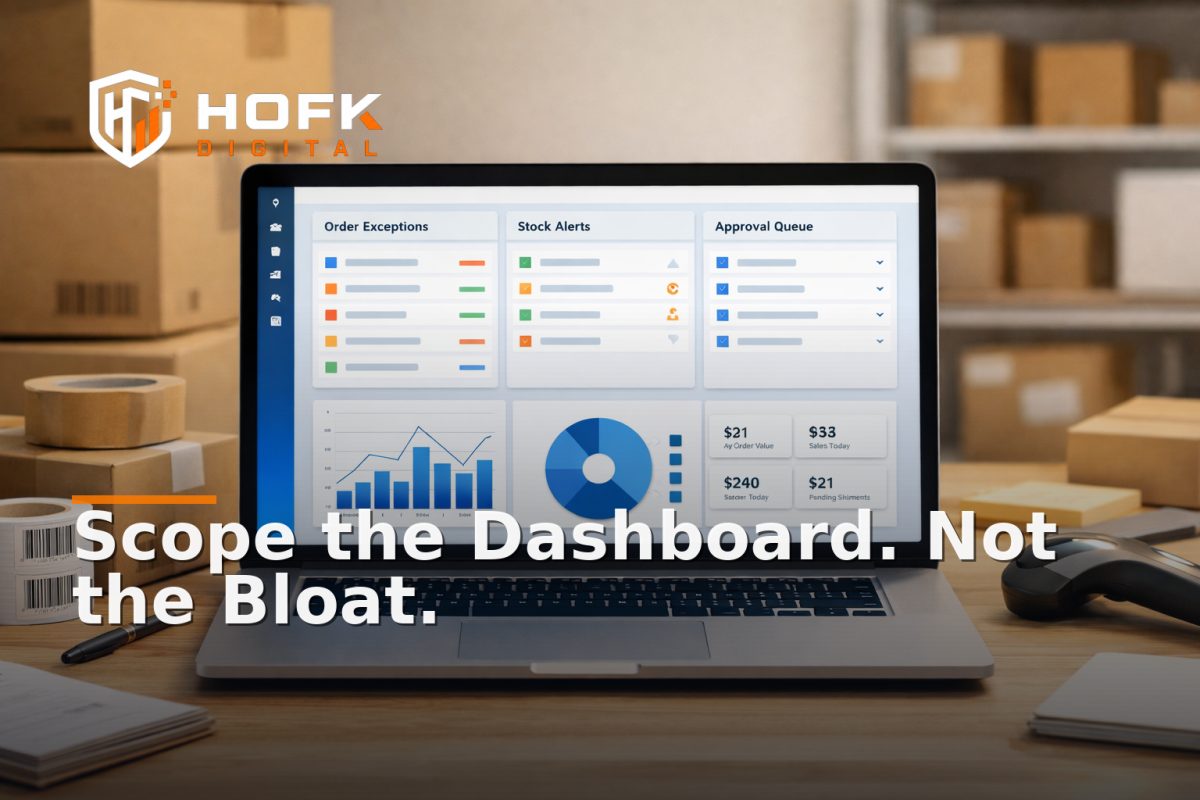
How to Scope a Laravel Dashboard for Ecommerce Operations Without Overbuilding
If you are planning a Laravel internal dashboard for ecommerce operations, the hard part is usually not deciding that you need one. The hard part is deciding what belongs in version one.
Many teams start with a broad wish list: orders, stock, fulfilment, refunds, customer notes, reporting, supplier updates, task chasing, exception handling and maybe a few automations on top. That sounds sensible until the scope turns into a custom admin dashboard that is expensive to build, awkward to maintain and too large for the team to actually use.
The better approach is to treat the dashboard as an operational control panel, not a second version of your ecommerce platform. Its job is to reduce manual work, surface exceptions and give the team faster decisions. If it does more than that, overbuilding becomes a real risk.
This article is for UK ecommerce operators, founders, operations leads and technical managers who need a practical ecommerce operations dashboard without creating a maintenance burden. The focus is on what to include, what to leave out and how to decide module by module.
Start with the operational job, not the feature list
Before you design any screens, define the jobs the dashboard must do. In ecommerce, the most useful internal tools usually sit around repetitive work, exception handling and cross-system visibility.
Examples of the operational job might be:
- See orders that need manual intervention
- Track stock issues before they cause customer service problems
- Centralise fulfilment exceptions in one place
- Reduce spreadsheet-based checking
- Show trading teams the daily exceptions that matter
If you cannot describe the dashboard in one or two sentences, the scope is still too vague. Good internal tools for ecommerce are usually built around one clear operational outcome first, then expanded later.
Choose modules by frequency, pain and business impact
Not every process deserves a place in the first build. A useful scoping method is to score each candidate module against three questions:
- Frequency: Does this happen every day or only occasionally?
- Pain: Is the current process slow, error-prone or heavily manual?
- Impact: Does improving it reduce risk, save time or protect revenue?
If the answer is yes to all three, the process is a strong candidate for the first release.
For example, an order exception queue may be worth including early because it is frequent, time-sensitive and customer-facing. By contrast, a rarely used reporting screen may be useful later, but it is not usually the first thing to build.
A simple scoring rule for scope decisions
- High frequency + high pain + high impact = build now
- High frequency + low pain = maybe later
- Low frequency + high impact = consider a lightweight alert instead of a full module
- Low frequency + low impact = leave out
This is where a workflow automation dashboard can stay lean. The goal is not to digitise every process the business touches. The goal is to remove enough friction that the team can trade more cleanly.
What usually belongs in a first ecommerce operations dashboard
A useful first version tends to cover operational exceptions rather than everything. That keeps the build practical and the team focused on the parts of the business where visibility matters most.
1. Order exceptions
This is often the strongest starting point. A dashboard can help the team spot orders that need human review because of payment issues, address problems, split fulfilment, missing data or unusual delivery conditions.
Useful fields include:
- Order reference
- Status
- Exception reason
- Age of the exception
- Assigned owner
- Next action
This module works well because it centralises a messy process that often lives across emails, spreadsheets and platform notes.
2. Stock and fulfilment exceptions
For many ecommerce businesses, this is one of the most valuable internal tools for ecommerce. Stock data may come from the store, a warehouse system, a supplier feed or a manual update process. If any of those drift, trading becomes harder to manage.
Good dashboard use cases include:
- Low stock alerts that need review
- Products that are live but not sellable
- Items stuck in a backorder state
- Orders waiting on a stock decision
- Items that need substitution or escalation
Keep the first version focused on visibility and action. You do not need to build a full inventory planning suite if the real need is simply to catch exceptions sooner.
3. Refunds, returns and customer service actions
Refunds and returns often involve several systems and several people. A dashboard can reduce the need to check multiple tabs, chase approvals or manually log outcomes.
This module may need to show:
- Return request status
- Reason for return
- Refund eligibility
- Approval stage
- Notes from support or operations
If the team is currently managing this via inboxes and spreadsheets, a Laravel internal dashboard can create a much cleaner working view. But keep it scoped to the most common paths first.
4. Manual approval workflows
Some ecommerce businesses need sign-off for discounts, replacements, goodwill offers, high-value orders or operational exceptions. These are good candidates for a dashboard if the decision process is repeatable.
The important question is whether the dashboard should make decisions or simply route them. In most cases, version one should route, log and remind rather than automate every judgement.
If you want a broader framework for mapping approval steps, HOFK has a related article on mapping manual approval workflows for automation readiness.
What should usually stay out of version one
One of the easiest ways to overbuild a custom admin dashboard development project is to include features that sound useful but do not support a daily operational decision.
Common candidates to leave out initially include:
- Perfectly polished reporting views with no action attached
- Advanced forecasting that no one has time to validate
- Complex BI-style charts that duplicate existing tools
- Highly custom workflows for one-off exceptions
- Customer-facing features that belong in the public site, not the internal tool
A dashboard can become bloated when teams try to make it both an operations hub and a management presentation layer. Those are different products. If a screen does not help someone act, it probably belongs elsewhere.
Define the minimum data each module needs
Scope is not just about features. It is also about data. A dashboard can become complex very quickly if it tries to pull in every available field from every source system.
For each module, ask: what is the minimum set of data required to make the screen useful?
For an order exception module
- Order ID
- Customer name or account reference
- Status
- Exception type
- Value
- Timestamp
- Owner
For a stock exception module
- SKU
- Product name
- Current stock state
- Location or source system
- Threshold
- Last update time
- Action required
For a refund or return module
- Case reference
- Customer reference
- Reason
- Stage
- Amount
- Approver
- Audit note
If the screen needs more than this to do its job, that is a sign the workflow may need simplifying before the dashboard is built.
Get permissions right early
Permissions are one of the most important parts of a Laravel internal dashboard because ecommerce operations often involve different roles with different levels of access.
Before the build begins, define who can view, edit, approve and export data. Do not assume everyone needs the same access.
Common ecommerce roles to consider
- Operations admin
- Trading manager
- Customer service team member
- Warehouse or fulfilment lead
- Founder or director
- Finance user
Each role should have a simple answer to three questions:
- What can they see?
- What can they change?
- What can they approve or release?
In a well-scoped internal tool, permissions are not a later add-on. They shape the whole interface. If the wrong people can see sensitive data or the wrong people cannot act quickly enough, the tool becomes harder to trust.
Design for exceptions, not just happy paths
Ecommerce operations are full of edge cases. Orders get split. Stock changes mid-day. A refund needs manual approval. A customer query becomes a warehouse issue. If the dashboard only handles the happy path, it will quickly become another place where the team needs workarounds.
When scoping each module, ask:
- What is the normal flow?
- What happens when the data is incomplete?
- What happens if a human must step in?
- What is the fallback if an integration fails?
This is where practical workflow automation matters. A good dashboard does not need to automate every edge case. It just needs to make edge cases visible and manageable.
Decide where automation belongs and where it does not
A common scoping mistake is to add automation too early. If the team does not yet trust the process or the data, automation can amplify the wrong behaviour.
Use a simple rule:
- Automate repetition if the task is predictable and low-risk
- Keep human review if the decision involves judgement, margin, customer impact or unusual exceptions
- Alert rather than automate if the process is important but not yet stable enough for full workflow automation
For example, a dashboard might automatically flag a refund over a threshold, but still require a manager to approve it. Or it might show stock anomalies without trying to reorder anything automatically.
That restraint keeps the build smaller and safer.
Build around the trading day, not the org chart
Many internal tools are scoped around departments. Ecommerce dashboards work better when they are scoped around how the trading day actually flows.
Think about the moments when the team needs clarity most:
- First thing in the morning, when exceptions need triage
- Midday, when order volumes rise
- Before a promotion launches
- When stock or fulfilment issues start to build
- At close of day, when unresolved items need handover
This approach often leads to a better ecommerce operations dashboard because it mirrors actual trading behaviour rather than internal reporting lines.
Use integrations sparingly and intentionally
Every integration adds maintenance overhead. That does not mean integrations are bad. It means each one needs a reason.
Ask whether the dashboard should connect to:
- The ecommerce platform
- The warehouse or fulfilment system
- The ERP or stock source
- The CRM or customer service tool
- The finance or accounting system
Then decide which of those are needed on day one. If a module only needs one read-only sync to be useful, keep it that way. Avoid building a heavy integration layer unless the operational benefit is clear.
This is usually where a Laravel build is strongest: enough flexibility to connect systems cleanly, but still structured enough to avoid turning into a giant custom platform.
A practical dashboard scoping framework
If you are trying to avoid overbuilding, use this sequence for every module:
- Define the operational problem — what is slow, messy or hard to see?
- Confirm the user — who needs this module every day?
- List the decision — what action will the user take?
- Choose the minimum data — what fields are required?
- Set the permission model — who can view and change it?
- Identify the exception states — what happens when things go wrong?
- Draw the boundary — what is outside scope for version one?
If a module cannot pass those seven steps clearly, it probably is not ready for the first build.
What a lean first release might look like
A sensible first release for a Laravel internal dashboard in ecommerce might include:
- A login and role-based access setup
- One operational queue, such as order exceptions
- One supporting queue, such as stock or fulfilment alerts
- Basic filters and search
- Status changes or assignment actions
- A short audit trail
- Simple daily or weekly summary counts
That is often enough to prove value without turning the project into a large platform build.
After that, you can decide whether to add deeper reporting, more automation, extra integrations or new modules based on actual use.
When HOFK can help
HOFK works with ecommerce teams, founders and operations leaders who need practical software rather than a theoretical spec. If you are planning a Laravel internal dashboard, the useful part is often not the code alone. It is deciding what should be built first, what should stay manual and how the tool fits into the wider operating model.
That is where experience across full stack development, ecommerce, automation and operational software can help shape a build that stays focused. In some projects, that may include connecting internal dashboards to stock systems, fulfilment workflows, reporting layers or trading tools. In others, it may simply mean keeping the scope lean enough that the team actually uses the result.
Conclusion
If you are planning a Laravel internal dashboard for ecommerce operations, do not start by listing every possible feature. Start by choosing the few processes that create the most daily friction, the clearest exceptions or the biggest trading risk.
Use frequency, pain and impact to decide what belongs in version one. Keep the data model tight, permissions specific and automation limited to the repeatable parts of the workflow. That is the best way to build an internal tool for ecommerce that supports trading control without becoming overbuilt.
The best custom admin dashboard development projects are rarely the biggest. They are the ones that solve a real operational job cleanly, then leave room to grow later.
Frequently asked questions
What should go into a Laravel dashboard for ecommerce operations?
Start with the operational problems that happen often and create manual work, such as order exceptions, stock issues, refunds or approval workflows. Keep version one focused on the most useful daily actions.
How do I avoid overbuilding a custom admin dashboard?
Only build modules that are frequent, painful and commercially important. If a feature does not help someone act, review an exception or reduce manual work, it probably belongs in a later phase.
What data does an ecommerce operations dashboard need?
Only the minimum data required to make a decision. That usually means an ID, status, reason, owner, timestamp and action needed, rather than every available field.
Who should have access to an internal ecommerce dashboard?
Access should be role-based. Operations, customer service, fulfilment, finance and managers often need different permissions for viewing, editing and approving records.
Should the dashboard automate workflows or just show them?
Begin with visibility and controlled actions. Automate only the repeatable parts once the data and process are stable enough to trust.