

How to QA Google Ads Landing Pages Before Launch: Relevance, Intent Match and Conversion Signals
If you are about to send paid search traffic to a new page, do not treat the landing page as a design sign-off item. Treat it as a campaign asset that needs to prove relevance before spend goes live. Good Google Ads landing page optimisation is not just about making the page look polished. It is about checking whether the page matches the ad promise, fits the query intent and gives users a clear next step.
That matters because paid search is usually the most intent-led traffic a business buys. If someone clicks an ad, they are already telling you something about what they want. A weak landing page does not just waste clicks; it can also make the campaign harder to scale because the page fails to support relevance, engagement and conversion signals.
This guide is a practical pre-launch QA framework for UK business owners, ecommerce teams, PPC managers and digital leads. It is designed for teams who want better campaign efficiency without rebuilding the site.
Start with the campaign job, not the page layout
Before you inspect visuals or button placement, define the campaign’s job in plain English. A landing page cannot be QA’d properly unless you know exactly what it is meant to support.
Ask three basic questions:
- What click is this page meant to receive?
- What did the ad promise?
- What is the one action the visitor should take next?
If those answers are not clear, the page may still be useful, but it will be harder to judge whether it is ready for paid traffic. A strong PPC landing page audit begins with campaign intent, not the CMS template.
Check ad-to-page message match first
The most common landing page problem is simple: the ad says one thing and the page starts somewhere else. That gap creates friction immediately. Users click because the ad feels relevant, then hesitate because the landing page does not continue the same story.
What to compare
- The exact ad headline or RSA theme
- The keyword or search theme behind the campaign
- The promise, offer or category on the landing page
- The opening headline and subheading
- The first call to action
For example, if the ad is built around “commercial boiler servicing in Manchester”, the landing page should not open with a generic “trusted local engineers” message. It should continue the same topic clearly and quickly.
A useful rule is this: the landing page should feel like a continuation of the ad, not a restart.
Signs the message match is weak
- The headline is broad while the ad is specific
- The page leads with brand language instead of the offer
- The CTA is vague compared with the ad promise
- The page introduces unrelated services before addressing the search intent
- The user has to scroll before understanding they are in the right place
If you see more than one of those signs, the page likely needs editing before launch.
Match the page to query intent, not just the keyword
In paid search, keyword targeting is only part of the picture. The real test is whether the page matches the intent behind the query. That matters because two searches with similar words can imply very different needs.
For example, someone searching for “Google Ads agency near me” may want a service provider, while someone searching for “Google Ads landing page optimisation” may want practical guidance or a specialist audit. If the page does not reflect the right intent level, the click may be technically relevant but commercially unhelpful.
Common intent types to check
- Transactional: The user is ready to enquire, book, buy or request a quote.
- Commercial investigation: The user is comparing options and wants proof, clarity or a shortlist.
- Informational: The user wants an explanation, checklist or guide before taking action.
- Navigational: The user wants a specific brand, product or service page.
Landing page relevance for paid search improves when the page is shaped around the actual intent type, not a generic marketing message. A service page, an ecommerce offer page and a lead-gen audit page should not all use the same structure.
Use query language carefully
Do not force exact-match keywords into every heading. Instead, use the vocabulary the searcher would naturally expect. If the user is looking for a quote, talk about the service, outcome and next step. If they are researching, give them enough context to compare and decide.
Google Ads conversion rate optimisation often starts with this exact decision: is the page trying to persuade, explain or convert? If it tries to do all three at once, it can dilute the message.
Check the relevance signals Google Ads can read
Google Ads does not score landing pages like a human reviewer, but the page still needs to send consistent relevance signals. Those signals help support the relationship between the keyword, ad and landing page.
In practical terms, your pre-launch review should confirm that the page contains the right topic, the right terminology and the right supporting details for the campaign.
Signals worth checking
- The main heading reflects the campaign topic
- Supporting copy uses the same service or product language as the ad
- The page includes useful details around location, audience or use case where relevant
- The offer is visible without ambiguity
- The page avoids drifting into unrelated themes
This is not about stuffing keywords into the page. It is about making the page obviously relevant to the user and consistent with the campaign setup.
If the landing page is broad, consider tightening the message. If it is too thin, consider whether it needs a short section that explains the service, use case or commercial difference more clearly.
QA the conversion path before traffic arrives
Relevance brings the user in. Conversion signals move them forward. Before launch, the page should be checked for whether it makes the next step obvious and easy to complete.
Look for the conversion path in the first screen
The above-the-fold area should answer three questions quickly:
- Am I in the right place?
- What is being offered?
- What should I do next?
If the answer to any of those is unclear, the page is under pressure. That does not necessarily mean a full redesign is needed, but it does mean the page is not ready for paid traffic yet.
Check the primary call to action
A landing page should usually have one main action. That action may be “Request a quote”, “Book a call”, “Get a demo”, “Shop now” or another clear next step.
QA the CTA for:
- Clarity: Does the label explain the outcome?
- Visibility: Is it easy to find without hunting?
- Consistency: Does it match the ad promise?
- Behaviour: Does it work properly after tap or click?
Vague labels such as “Learn more” may be acceptable in some contexts, but they can be weak for high-intent paid search traffic if the page is meant to drive a direct commercial action.
Review the trust signals near the decision point
Landing page relevance is not only about topic match. It is also about whether the page gives enough reassurance for someone to take the next step.
Depending on the campaign, useful trust signals may include:
- Client logos or sector indicators
- Review summaries or testimonials
- Service area or contact details
- Delivery, returns or fulfilment details for ecommerce pages
- Proof of expertise, process or support approach
These signals should support the decision, not clutter the page. If the page looks like a wall of badges, it can create noise rather than trust.
A good pre-launch review asks whether the trust cues sit near the CTA or key decision point, not whether they simply exist somewhere on the page.
Check the friction points that weaken conversion signals
Sometimes the landing page has the right message but still underperforms because of avoidable friction. A Google Ads conversion rate optimisation review should therefore look for practical blockers, not just messaging issues.
Common friction points
- Forms with too many fields
- Buttons that are easy to miss on mobile
- Pop-ups that interrupt the first action
- Sticky headers covering the main CTA
- Page sections that bury the offer too far down
- Confusing form labels or error messages
If the page is meant to convert quickly, every extra step matters. A user arriving from a paid ad should not have to work out how to proceed.
For ecommerce pages, that might mean product selection, add-to-basket or basket continuity. For lead-gen pages, it might mean quote form clarity or callback handling. For service pages, it may mean a short enquiry form and strong supporting proof.
Test the page as if the click has already happened
Pre-launch QA works best when you test the page as a user would, not as the person who built it.
Use this simple test path:
- Open the ad or ad draft
- Identify the search theme or audience intent
- Load the landing page on desktop and mobile
- Read the first screen without scrolling
- Try the main CTA
- Complete the form or next action where relevant
- Check the confirmation or follow-on page
Ask yourself: does the path feel connected from click to next step, or does anything break the flow? That is often the quickest way to spot weak campaign landing page diagnostics before money is spent.
Check measurement before the campaign goes live
A page can look ready and still fail operationally if tracking is wrong. Before launch, verify that the page is measurable in the way the campaign needs.
What to verify
- Landing page view tracking
- Primary CTA click tracking
- Form start and form submit events
- Purchase, lead or enquiry completion
- Consent behaviour where applicable
- Google Ads and analytics alignment
If the conversion is not tracked correctly, you lose the ability to judge whether the landing page is working. That makes optimisation much harder after launch.
This is one of the reasons HOFK often treats campaign landing pages as a performance and measurement problem rather than a design-only task. A page that cannot be tracked cleanly is difficult to improve with confidence.
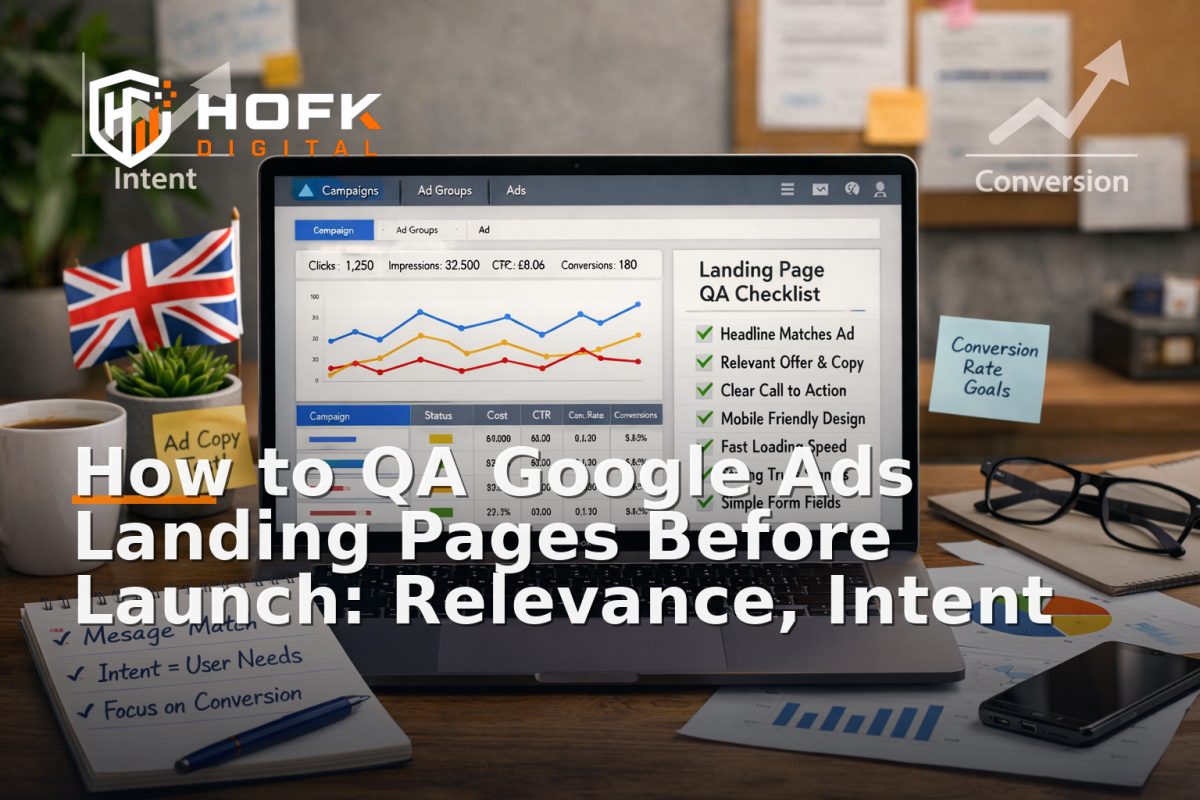
A practical PPC landing page audit checklist
If you need a quick pre-launch review, use this checklist:
- Does the page match the ad promise?
- Does the headline reflect the query intent?
- Is the offer clear in the first screen?
- Is the CTA specific and visible?
- Do the trust signals support the decision?
- Is the page free from avoidable friction?
- Are the mobile and desktop journeys both workable?
- Do analytics and conversion events fire correctly?
If several of these answers are unclear, the page probably needs another QA pass before spend goes live.
When a landing page issue points to a deeper fix
Some problems are simple copy edits. Others suggest the template, tracking setup or front-end structure needs attention. If your campaign pages repeatedly need awkward workarounds, the underlying issue may be maintainability rather than content.
That is where HOFK can help. With experience across full stack development, ecommerce, responsive websites and SEO & Adwords, the practical focus is usually on making the page easier to trust, easier to measure and easier to adapt without rebuilding everything.
In many cases, the most useful change is not a new site. It is a cleaner landing page workflow with clearer relevance, better tracking and less guesswork.
Conclusion
Before you launch paid traffic, treat Google Ads landing page optimisation as a QA process. Check that the page matches the ad, reflects query intent, shows the right relevance signals and makes the conversion path obvious. That is the difference between a page that merely exists and a page that is ready to support spend.
If you are planning a campaign and want a practical PPC landing page audit, HOFK can help review landing page relevance for paid search, campaign measurement and the technical detail behind the page. The goal is simple: make sure the landing page is ready before the clicks arrive.
Frequently asked questions
What should I check first in a Google Ads landing page audit?
Start with ad-to-page message match, then check whether the page reflects the search intent and whether the primary CTA is clear and visible.
Do landing pages need to match the keyword exactly?
Not exactly. They need to match the intent behind the keyword. The page should use language the user expects and make the offer obvious.
What are the most important conversion signals on a landing page?
The main conversion signals are a clear CTA, visible trust cues, a simple path to the next step and working tracking for the key actions.
Can a landing page hurt Google Ads performance if the content is relevant?
Yes. Even if the topic matches, the page can still underperform if the CTA is weak, the form is too long, or the tracking is not set up correctly.
What is the quickest way to improve landing page relevance for paid search?
Tighten the headline, align the opening copy with the ad promise and remove any content that distracts from the campaign intent.