

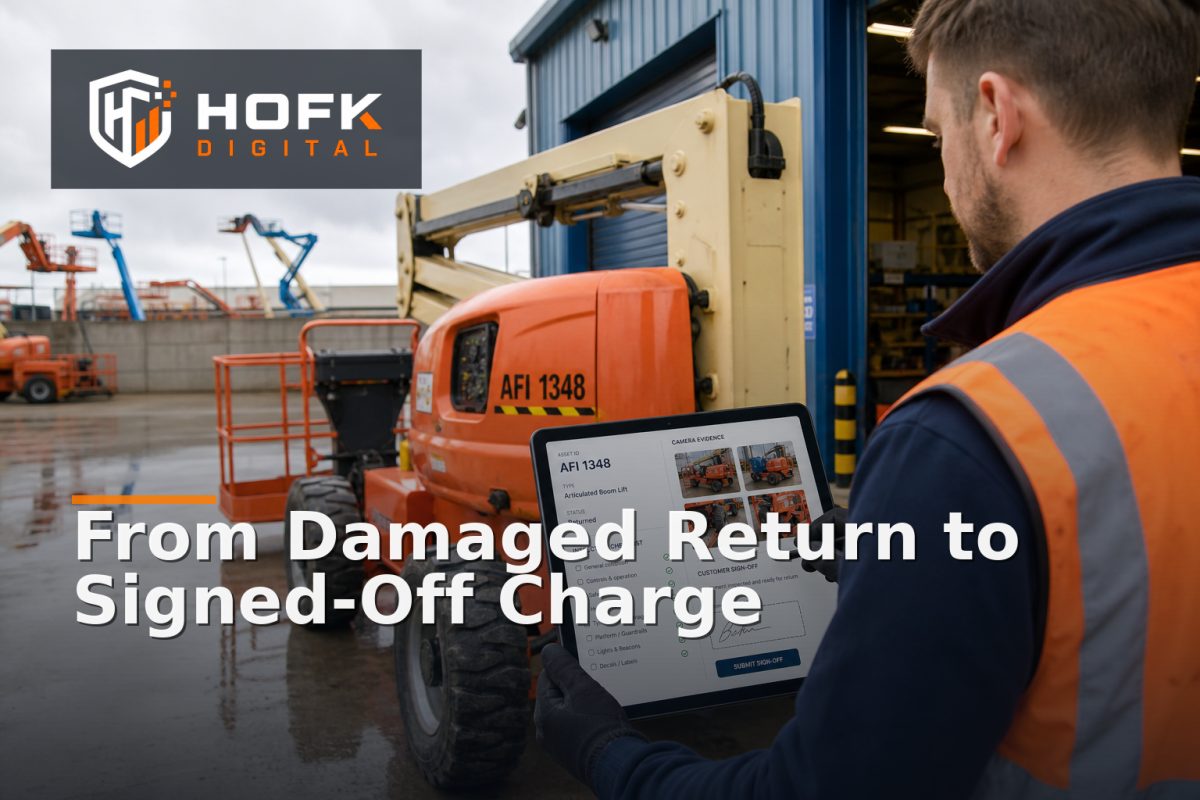
How to Build an Equipment Hire Damage Workflow from Return to Customer Sign-Off
A damaged item returning to the depot is not just a workshop issue. It can affect availability, customer communication, invoicing, deposits and the next booking. If the process is handled through photographs in one inbox, notes in another system and a charge added later from memory, disputes become more likely and recovery takes longer.
A well-designed equipment hire damage workflow gives every damaged return a clear route from inspection to resolution. It records what was found, separates evidence from assumptions, routes the right decisions to the right people, and gives the customer a fair opportunity to review the outcome before the job is closed.
This guide is for hire desk managers, depot leads and operations teams responsible for returns and damage recovery. It focuses on the workflow after an item comes back, rather than the wider booking or dispatch process.
What the workflow needs to achieve
The purpose of the workflow is not simply to charge for damage. It is to create a reliable record that supports four outcomes:
- The returned equipment is inspected consistently.
- Damage, wear, missing items and cleanliness issues are distinguished clearly.
- Any proposed recovery charge is supported by evidence and an internal decision.
- The customer receives a clear outcome and the job is signed off properly.
This distinction matters because not every mark or fault should automatically become a charge. Some issues may be normal wear, pre-existing damage, a maintenance matter or an operational decision that needs further investigation.
Start with a controlled return status
The damage process should begin when the equipment is physically returned, not when someone eventually notices a problem. Give the return a clear status such as returned awaiting inspection. This prevents the item from being treated as available for the next hire before the inspection is complete.
At this point, capture the basic context:
- Hire or booking reference.
- Customer and site details.
- Asset ID, fleet number or serial number.
- Expected return date and actual return date.
- Person or team recording the return.
- Whether the item is immediately unavailable for inspection or repair.
The status should also make ownership visible. A depot operative may complete the physical check, while a hire desk manager or operations lead may review the proposed charge. One person can hold both roles in a smaller depot, but the responsibilities should still be clear.
Make the hire equipment return inspection repeatable
A consistent inspection is easier to defend than an informal visual opinion. Use a return inspection checklist that reflects the equipment type and the risks associated with it. The checklist does not need to be identical for every asset, but it should follow a common structure.
Record condition by area
Divide the inspection into practical areas rather than relying on one overall condition field. Depending on the equipment, this could include:
- Bodywork, frame or casing.
- Controls, switches and displays.
- Tyres, tracks, blades or attachments.
- Cables, hoses, keys and accessories.
- Safety guards, covers and protective components.
- Fuel, battery, fluid or consumable condition.
- Cleaning and contamination.
For each area, record a simple outcome such as acceptable, wear noted, damage found, missing item or requires technical review. This is more useful than a single score because it tells the next person what needs attention.
Separate damage from normal wear
One of the most important controls in rental damage reporting is distinguishing chargeable damage from expected wear. The exact standard will depend on the hire agreement, equipment type and commercial policy. However, the workflow should require the inspector to explain the classification rather than select “damage” without context.
Useful classification fields include:
- New damage identified.
- Damage recorded before this hire.
- Normal operational wear.
- Missing accessory or component.
- Cleaning or contamination issue.
- Mechanical fault requiring technical diagnosis.
- Cause unclear and awaiting review.
If the cause is unclear, do not force a charge decision at the inspection stage. Move the case to review and preserve the evidence.
Capture evidence before the asset moves
Evidence is strongest when it is collected close to the return event and attached to the correct asset and booking record. A photograph without a reference, date or location is less useful than a smaller set of clearly labelled images.
For each material issue, capture:
- Wide image showing the relevant area of the equipment.
- Closer image showing the damage clearly.
- Asset identifier or reference where practical.
- Written description of what is visible.
- Inspector name and inspection time.
- Any comparison with the pre-hire condition record.
Use structured evidence rather than relying only on free-text notes. The system should make it difficult to attach an image to the wrong asset or booking. If the operation uses hire software such as Hyraventa, or a connected operational tool, check how asset identifiers, inspection records and attachments are linked in the actual implementation. VERIFY: available inspection, attachment and audit features will depend on the software configuration.
Route technical faults away from automatic charges
Not every post-return issue is a customer damage claim. A machine may have developed a mechanical fault during normal use, or a technical team may need to determine whether the problem resulted from misuse, wear or an existing defect.
Create a separate route for issues that need technical review. That route should record:
- Fault symptoms and when they were observed.
- Whether the equipment was operational at dispatch.
- Relevant service, repair or pre-hire inspection notes.
- Technician findings.
- Parts, labour or downtime estimates.
- Whether the asset can return to service.
This protects the hire desk from making a commercial decision before the technical facts are known. It also helps avoid charging a customer for a maintenance issue that should have been handled internally.
Build an internal damage review before customer contact
Once the inspection is complete, the case should move to an internal review rather than directly to an invoice. The reviewer checks whether the evidence supports the proposed outcome and whether the charge is consistent with the business rules.
A review record might include:
- Inspection summary.
- Evidence attachments.
- Pre-hire condition comparison.
- Estimated repair, cleaning, replacement or downtime cost.
- Recommended customer charge.
- Deposit amount or pre-authorisation available.
- Reviewer decision and reason.
The reviewer should be able to choose a clear outcome:
- No charge: wear, pre-existing issue or business decision.
- Operational repair: internal maintenance route with no customer recovery proposed.
- Customer query: more evidence or clarification needed.
- Provisional charge: customer communication required before finalisation.
- Approved recovery: charge can proceed under the agreed terms.
Separating the recommended amount from the final approved amount is useful. It shows whether the charge changed during review and why.
Design customer communication for clarity
The customer should receive a concise explanation of what was found, not a vague statement that the equipment was returned damaged. Good communication reduces avoidable back-and-forth and gives the customer enough information to respond meaningfully.
A damage notification should normally include:
- Hire reference and asset identifier.
- Date and location of the return.
- Description of the issue in plain English.
- Relevant photographs or evidence summary.
- Proposed charge and what it relates to.
- How the customer can query or provide information.
- Response deadline, where one is required.
Avoid presenting an estimate as a final invoice unless the internal review has confirmed that this is appropriate. The wording should match the status of the case: under review, proposed recovery or finalised charge.
Connect the damage deposit process to the case record
The damage deposit process should not be handled as a separate finance task with no link to the inspection. The deposit record should reference the damage case, booking, customer and final decision.
Before applying or retaining any amount, the team should be able to see:
- Deposit or pre-authorisation status.
- Amount held or available.
- Approved charge amount.
- Reason for any difference.
- Customer communication and response.
- Finance action and completion date.
Whether a deposit is captured, partially retained, released or handled through a separate invoice depends on the hire agreement and business process. VERIFY: deposit treatment, customer notice requirements, tax handling and contractual wording should be reviewed with the relevant finance and commercial owners before implementation.
Make customer sign-off an explicit state
Do not close the case simply because an email was sent. Use an explicit sign-off state such as customer accepted, customer disputed, no response recorded or internal decision finalised.
Customer sign-off might be recorded through a portal, email response, signed document or internal confirmation, depending on the operating model. The important point is that the record shows what happened and who made the final decision.
If the customer disputes the charge, the case should return to a review state rather than being overwritten. Preserve the original inspection, communication and decision history. This gives the team a defensible audit trail without requiring staff to reconstruct the case from separate inboxes.
Close the loop with asset and operational updates
The damage case is not complete when the customer outcome is recorded. Update the asset and operational records as well:
- Asset unavailable, quarantined or awaiting repair.
- Repair or cleaning work assigned.
- Estimated return-to-service date.
- Actual repair completion.
- Updated condition record.
- Next-hire availability status.
This prevents a damaged asset from appearing hireable and helps operations understand how damage affects fleet capacity. HOFK’s related guide on equipment hire fleet utilisation reporting is useful when unavailable and idle assets need to be separated in performance reviews.
Use exception reporting to improve the process
Once the workflow is running, review the patterns rather than only individual cases. Useful measures include:
- Time from return to inspection.
- Time from inspection to customer notification.
- Cases awaiting technical review.
- Average time to customer response.
- Charges disputed or amended.
- Assets unavailable because of damage.
- Repeated damage patterns by asset type, site or customer.
These measures should support decisions, not create another dashboard for its own sake. For example, repeated delays between return and inspection may indicate a depot capacity issue. A high dispute rate may indicate weak evidence or unclear damage standards. Repeated damage to one component may indicate a training, design or maintenance problem.
Equipment hire damage workflow checklist
Before implementing or reviewing the process, check that you can answer each question:
- Does every return enter a controlled inspection status?
- Is the exact asset linked to the booking and inspection?
- Can inspectors distinguish damage, wear, missing items and technical faults?
- Are photographs and notes attached with timestamps and ownership?
- Does an internal reviewer approve the proposed recovery?
- Is customer communication linked to the case?
- Can the deposit or invoice action be reconciled to the decision?
- Is customer sign-off or dispute recorded explicitly?
- Does the asset status reflect its real availability?
- Can managers report on delays, disputes and recurring damage patterns?
Where HOFK can help
A damage-recovery process often crosses hire software, asset records, finance, customer communication and depot operations. HOFK can help with full stack development, ecommerce-connected workflows, automation, monitoring and operational software where those handoffs need to become clearer and more reliable.
The practical work may involve mapping the current return process, designing case states, linking inspection evidence to asset records, improving approval routing or creating exception views for hire desk and depot teams. HOFK’s full stack development and ecommerce services are relevant where the workflow needs to connect customer-facing and operational systems.
Conclusion
A reliable equipment hire damage workflow turns a difficult return into a controlled sequence: record the return, inspect the asset, capture evidence, separate damage from wear, review the proposed recovery, communicate clearly, reconcile the deposit or invoice, and record customer sign-off.
The goal is not to charge more often. It is to make every decision easier to explain, easier to audit and easier to complete. For hire desk managers and depot leads, that means fewer cases lost between systems, clearer customer conversations and better visibility of the assets that are unavailable for the next job.
Frequently asked questions
What is an equipment hire damage workflow?
It is the controlled process for managing a damaged or disputed return from inspection and evidence capture through internal review, customer communication, deposit or invoice handling and final sign-off.
What should rental damage reporting include?
It should include the booking and asset reference, inspection time, condition findings, photographs, pre-hire comparison, damage classification, proposed recovery and customer response.
How should a hire equipment return inspection distinguish damage from wear?
Use defined condition categories and require the inspector to explain the finding. Normal wear, pre-existing issues, missing items, contamination and suspected customer damage should not be treated as identical.
How does the damage deposit process fit into the workflow?
The deposit or pre-authorisation should be linked to the damage case and final approved amount. The record should show whether the amount was released, retained, partially applied or moved to an invoice route.
Why is customer sign-off important?
It creates a clear final state showing whether the customer accepted, disputed or was notified about the outcome. It also prevents cases being closed without a documented decision.