

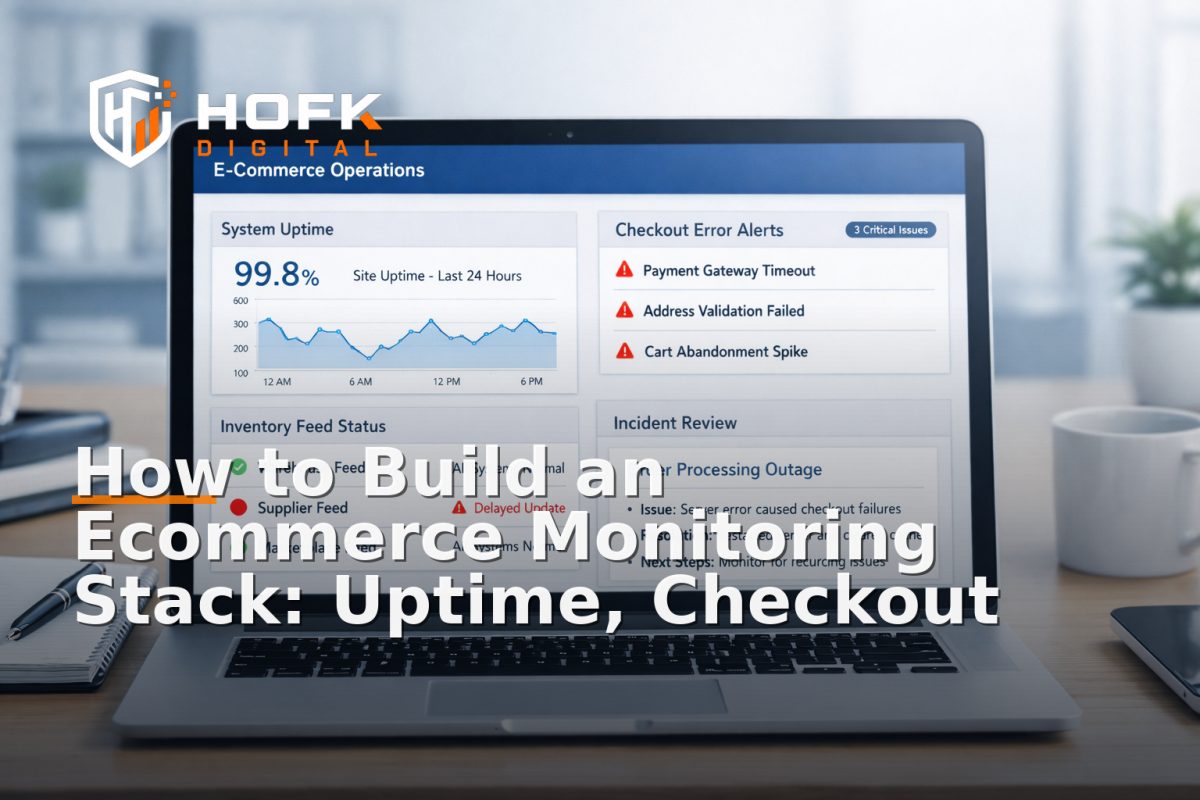
How to Build an Ecommerce Monitoring Stack: Uptime, Checkout Errors and Monthly Review Checks
If you run an ecommerce business, website monitoring for ecommerce is not just a technical nice-to-have. It is one of the simplest ways to spot issues before they become lost orders, broken campaigns or support headaches.
The challenge is that many stores only monitor the homepage or basic uptime. That can tell you the site is online, but not whether customers can add to basket, complete payment, search products, or receive accurate stock information. A good monitoring stack looks at the whole buying journey.
This guide explains what to monitor, which alerts deserve immediate escalation, and how to run a monthly review process that links monitoring to revenue protection.
What an ecommerce monitoring stack should do
A monitoring stack should give you three things:
- Early warning when something breaks or degrades
- Clear context about what is affected and how badly
- A repeatable review process so the same issues do not keep returning
In practice, ecommerce website monitoring should cover technical availability, customer-facing journey errors, operational data flow and the quality of your alerts. If your alerts are noisy, vague or too late, they are not helping.
Start with the customer journey, not just the server
Many teams begin with uptime checks because they are easy to set up. That is useful, but incomplete. A site can be technically up while checkout is failing, stock feeds are stale or search is returning empty results.
For website monitoring for ecommerce, build around the steps that directly affect revenue:
- Homepage and category access - can users reach the store and browse?
- Search - can users find products?
- Product pages - do core details load correctly?
- Add to basket - does the basket update?
- Checkout - can users enter details and progress?
- Payment - does the payment provider respond correctly?
- Order confirmation - does the customer receive a successful completion?
If one of these steps fails, the impact is usually more severe than a generic uptime incident. That is why ecommerce performance monitoring should be journey-led rather than page-led.
Core monitoring layers to include
1. Uptime monitoring
Uptime monitoring checks whether your site or key endpoints respond as expected. At minimum, monitor:
- Homepage
- Category pages
- Product pages
- Checkout entry page
- Order confirmation page
For stronger coverage, include health checks for APIs and critical services that sit behind the storefront. If one endpoint stops responding, you want to know quickly, not after customers or paid traffic have already hit the problem.
2. Checkout error monitoring
Checkout is the highest-value area to monitor because even small failures can stop revenue immediately. Check for:
- Form validation errors
- Broken shipping-rate calculations
- Payment gateway failures
- Timeouts during address lookup
- Unexpected redirect loops
- Failed order submission
A good test is not simply whether the checkout page loads. It is whether a test order can move through each stage without error. If your platform supports it, use synthetic monitoring to simulate a user journey through basket and checkout.
3. Inventory and product feed monitoring
Inventory feeds often fail silently. That can lead to overselling, out-of-date stock on marketplaces or incorrect product availability on your own site.
Monitor:
- Feed freshness
- Feed success or failure status
- Missing SKU counts
- Variant mismatches
- Zero-stock anomalies
- Unexpected price changes in exported feeds
If your business depends on marketplaces, ad feeds or ERP synchronisation, feed monitoring becomes operationally important. A delay of a few hours may be enough to create customer service problems or wasted ad spend.
4. Search and discovery monitoring
Search failure is easy to overlook because the site still appears to be working. But if search returns no results, slow results or the wrong results, customers may leave without buying.
Track:
- Search availability
- Zero-result rate for common searches
- Query timeouts
- Broken autocomplete responses
- Category filter failures
This is especially useful for stores with large catalogues, seasonal ranges or complex filters. Search monitoring helps you catch problems that basic uptime checks would miss.
5. Error logging and exception monitoring
Error logging tells you what failed and where. It is one of the most useful parts of ecommerce website monitoring because it captures the detail behind user-facing problems.
Monitor application logs, front-end errors and backend exceptions for:
- Checkout exceptions
- API failures
- Payment callback issues
- Timeouts
- JavaScript errors on key templates
- Repeated 4xx and 5xx patterns
Where possible, tie errors to the page, session or step in the journey. That makes it much easier to investigate whether the problem is isolated or widespread.
6. External dependency monitoring
Most ecommerce platforms depend on other services. These may include payment providers, search tools, shipping calculators, tax services, CRM integrations or fulfilment systems.
Monitor the availability and response of the services that matter most to trading. If your storefront depends on a third-party API, the site may fail in a way that looks like a local issue when the real problem is external.
Which alerts deserve immediate escalation
Not every alert should trigger the same response. If everything is urgent, nothing is.
Immediate escalation is usually appropriate for alerts that affect active trading or customer trust. These include:
- Checkout unavailable
- Payment failures above normal levels
- Order confirmation not completing
- API outage affecting stock, pricing or shipping
- Search completely unavailable
- Widespread 5xx errors on core pages
You may also want immediate escalation if a problem affects paid traffic landing pages during a campaign. If Google Ads traffic is landing on a broken journey, the commercial impact can be immediate.
What can wait for business hours
Some alerts are still useful, but do not need a middle-of-the-night response. For example:
- A small increase in front-end errors on a low-traffic template
- A brief feed delay that resolves quickly
- A non-critical widget failure on a content page
- An isolated issue affecting a small segment of browsers
The key is to define thresholds in advance so your team knows what counts as a page, a ticket or an outage.
How to design alerts that are useful rather than noisy
Good website alerts for ecommerce should be specific, actionable and owned by someone.
Each alert should answer four questions:
- What failed?
- How many customers are affected?
- Is revenue at risk right now?
- Who should respond?
When setting thresholds, avoid over-alerting on temporary blips. Short transient errors are common on busy systems. The goal is to alert on sustained or repeated failures that are likely to affect customers.
A practical setup often includes:
- One alert channel for critical incidents
- One channel for lower-priority warnings
- Named owners for each monitor
- A clear escalation path if the first responder does not act
If your team is small, keep the process simple. A lean system that people actually use is better than a complex one nobody trusts.
Build monitors around revenue-critical workflows
One of the best ways to improve ecommerce performance monitoring is to tie each monitor to a business outcome.
Examples:
- Basket monitor - checks whether products can be added successfully
- Checkout monitor - checks whether the customer can progress to payment
- Payment monitor - checks whether the gateway responds and returns a success state
- Feed monitor - checks whether stock and pricing data have updated on time
- Search monitor - checks whether customers can discover products quickly
This makes it easier to explain why a monitor exists and why it matters. It also helps operations, marketing and technical teams speak the same language.
Set an incident response path before you need it
Monitoring only works when someone knows what to do next. A basic response path should define:
- Who receives critical alerts
- Who investigates first
- Who can pause campaigns or promotions if needed
- Who communicates with customer service or stakeholders
- When the issue is marked resolved
For ecommerce teams, this is especially important because incidents often affect several functions at once. A checkout failure may need a developer, a marketer, an operations lead and a customer service update.
If you use multiple agencies or tools, make sure ownership is clear. Alerts should not bounce around between vendors while revenue is leaking.
What to review every month
A monthly review is where monitoring becomes a management tool rather than a technical dashboard. The review should focus on patterns, not just incidents.
Use a monthly checklist like this:
- Review critical incidents - What failed? How long was it down? What was affected?
- Check alert quality - Which alerts were useful, and which were noise?
- Look for recurring issues - Are the same errors or feeds failing again?
- Review customer impact - Did any issue affect orders, conversion or support volume?
- Validate monitor coverage - Are there any important journeys not yet covered?
- Check ownership - Is every critical monitor assigned to someone?
This monthly process helps you spot weak points before they turn into regular outages.
Questions to ask in the monthly review
- Did any outage or error affect a high-value page or journey?
- Did we get alerted early enough to act?
- Did the alert tell us enough to respond quickly?
- Was the issue tracked to root cause, not just patched?
- Do we need a new monitor because the business changed?
These questions keep the review commercial, not just technical.
Tie monitoring to revenue protection
The real value of monitoring is not that it generates alerts. It is that it helps protect revenue and reduce preventable disruption.
You do not need exact attribution to see the value. If a checkout issue was caught early, if a feed problem was fixed before marketplace stock drifted, or if a payment failure was resolved before a campaign peaked, monitoring has done its job.
For ecommerce owners and managers, the important shift is to treat monitoring as part of operational discipline. That means the monitoring stack should support:
- Trading continuity
- Better incident response
- Cleaner reporting
- Safer launches
- Less guesswork when something goes wrong
A simple starter stack for smaller ecommerce teams
If you are building a stack from scratch, start small and expand only when the basics are reliable.
A practical starter stack might include:
- Uptime checks for key pages and endpoints
- Synthetic checkout monitoring
- Feed status checks for stock or product exports
- Error logging on storefront and checkout
- Alert routing to email, Slack or another team channel
- A monthly incident and coverage review
That is enough to catch many of the problems that matter most without overwhelming the team.
Where HOFK fits
For some businesses, monitoring is simply a dashboard problem. For others, it is tied to custom code, workflow automation, checkout logic, feeds and reporting.
That is where HOFK’s experience with ecommerce, full stack development, automation and operational efficiency can be useful. If your monitoring needs extend beyond basic uptime into checkout behaviour, integrations, feeds or error handling, the implementation details matter. Website monitoring for ecommerce works best when it reflects how the site actually runs.
Monitoring also supports SEO and Google Ads activity by reducing the risk of sending traffic to broken pages. If campaigns, landing pages or product feeds fail silently, the cost can be immediate. Good monitoring helps protect that investment.
Conclusion
A useful ecommerce monitoring stack is built around the customer journey, not just server uptime. If you want website monitoring for ecommerce to protect revenue, you need coverage for checkout errors, inventory feeds, search, external dependencies and error logging, plus alerts that are clear enough to act on.
The monthly review matters just as much as the alerts themselves. It is where you decide what needs fixing, what needs better coverage and what needs a faster response path. In other words, monitoring should help you run the business, not just watch it.
If you need support designing or improving ecommerce website monitoring, HOFK can help with practical technical setup, full stack development and operational workflows that keep trading issues visible earlier.
Frequently asked questions
What is the most important thing to monitor on an ecommerce site?
The checkout flow is usually the most important because it directly affects revenue. After that, monitor uptime, product feeds, search and error logs.
How is ecommerce website monitoring different from basic uptime checks?
Basic uptime checks only confirm that a page responds. Ecommerce website monitoring should also test critical customer journeys, data feeds and errors that can break trading while the site still appears online.
How often should we review our monitoring setup?
A monthly review is a sensible baseline for most ecommerce teams. Review incidents, alert quality, missing coverage and any recurring issues.
Which alerts should be escalated immediately?
Escalate alerts for checkout failures, payment issues, unavailable order confirmation, widespread 5xx errors, broken search and outages affecting stock, pricing or shipping data.
Do smaller ecommerce businesses need monitoring tools as well?
Yes. Even a simpler stack can help smaller teams catch issues early and avoid preventable revenue loss. Start with the journeys and integrations that matter most.