

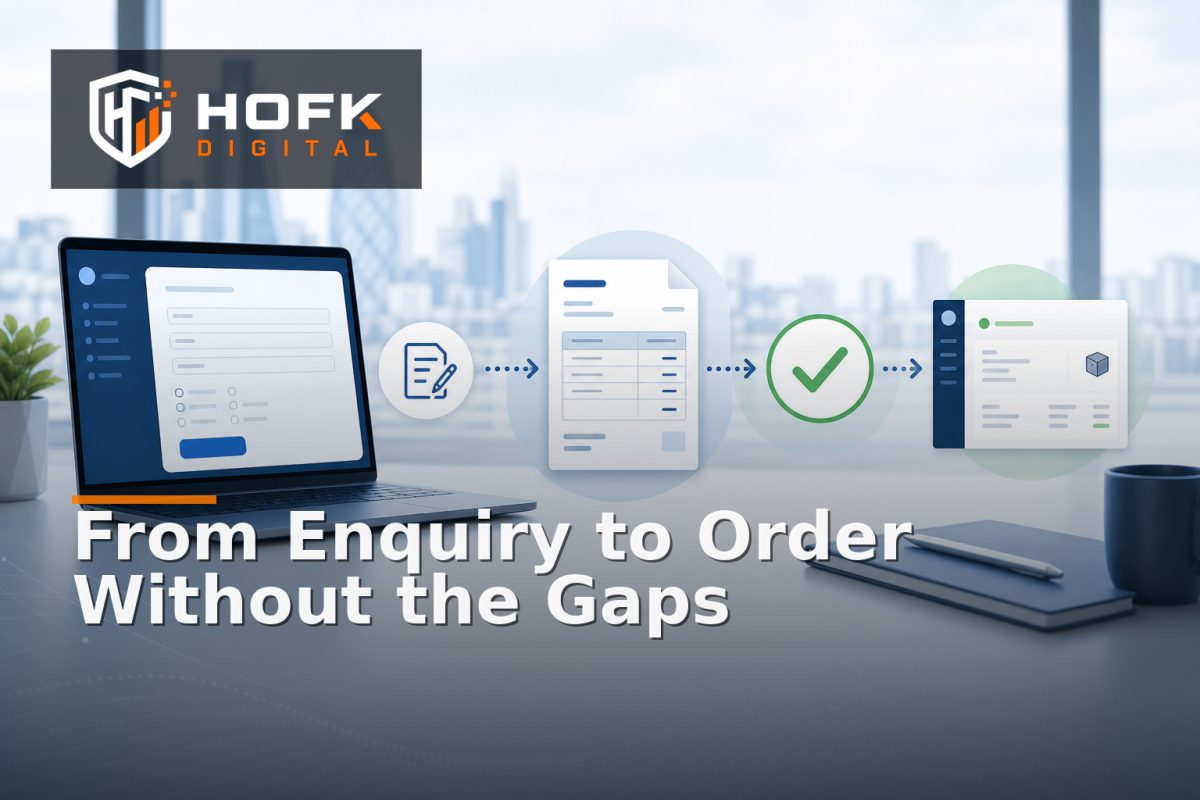
How to Design a B2B Quote Workflow That Connects Enquiry, Approval and Order
A B2B quote process can look organised while still creating avoidable work. An enquiry arrives by email, a salesperson checks pricing in a spreadsheet, an approval is requested in a chat message, and the final order is manually recreated in the trade portal or ERP.
That approach may work for a small number of accounts. As quote volume grows, it creates gaps between what the customer asked for, what was approved and what is eventually ordered. Prices can change, account terms can disappear, and the operations team may receive an order that does not clearly relate to the original enquiry.
A well-designed B2B quote workflow treats the quote as a controlled commercial record. It connects the enquiry, customer account, product selection, pricing, approval decision, acceptance and order creation in one traceable path.
This guide explains how to design that workflow for UK B2B ecommerce teams, sales operations leads and trade portal managers. The focus is not on one specific platform. It is on the process logic and data handoffs that need to work together.
Start with the commercial journey, not the software screens
Before choosing buttons, statuses or portal pages, map the journey a real customer and internal team follow. A typical trade portal quotation process may include:
- An enquiry is submitted through a portal, form, email or salesperson.
- The customer account and delivery details are identified.
- Products, quantities, pricing and requested dates are captured.
- The quote is reviewed internally or sent for approval.
- The customer receives the quote and accepts, rejects or requests changes.
- The accepted quote is converted into an order.
- The order is passed to fulfilment, finance or an ERP.
Document the current process before designing the future one. Pay particular attention to manual re-entry, approval delays, unclear ownership and places where the quoted information can change without a visible record.
The aim is not to reproduce every existing step. It is to identify the control points that protect commercial accuracy.
Define the quote as a first-class record
A common design mistake is treating a quote as temporary text attached to an enquiry. That makes it difficult to track revisions, approvals and acceptance. Instead, give each quote its own stable identity and lifecycle.
A practical quote record may include:
- Quote reference and version number.
- Customer account and contact details.
- Branch, site or delivery location.
- Sales owner or account manager.
- Requested products, variants and quantities.
- Prices, discounts, taxes and currency.
- Delivery, collection or fulfilment requirements.
- Validity date and commercial conditions.
- Approval status and approval history.
- Customer response and acceptance timestamp.
- Related order reference once converted.
The quote should remain distinguishable from the eventual order. An order may contain additional operational fields or a different status model, but it should retain a clear link to the accepted quote version that created it.
Design clear quote states and ownership
Statuses should describe what is actually happening, not simply what a screen looks like. A useful B2B quote workflow might include:
- Enquiry received: the request has arrived but is not yet ready for pricing.
- Drafting: products, quantities and terms are being prepared.
- Awaiting internal approval: the quote cannot be issued or accepted until a named decision is made.
- Issued: the customer has received a specific quote version.
- Changes requested: the customer or internal team has asked for amendments.
- Accepted: the customer has agreed to the quoted terms.
- Rejected or expired: the quote can no longer be converted without review.
- Converted to order: an order has been created from the accepted version.
Each state needs one clear owner and one defined next action. “Awaiting approval” should not mean that nobody knows who is expected to respond. The workflow should show the approver, the date requested and any deadline that matters.
Keep approval status separate from customer status where necessary. A quote can be approved internally but still awaiting customer acceptance. Combining those concepts creates ambiguity.
Make B2B ecommerce quote approval rule-based
Approval should be driven by commercial risk rather than habit. Not every quote needs the same level of review.
Possible approval triggers include:
- Discount exceeds an agreed threshold.
- Margin falls below an internal target.
- The quote includes a restricted product or unusual combination.
- The customer account has a credit or payment condition requiring review.
- The total value exceeds the account manager’s authority.
- The requested delivery date requires an operational check.
- The quote uses a non-standard contract or bespoke term.
These rules should be documented in plain English. For example: “Quotes above £10,000 require commercial approval” may be clear, while “manager review required” leaves too much room for interpretation. VERIFY: approval thresholds, margin rules and credit conditions must be agreed with the relevant commercial and finance owners before implementation.
Automation can route a quote to the right approver, validate required fields and send reminders. It should not remove human judgement where the decision depends on a genuine commercial exception.
Preserve account and pricing context throughout the workflow
An account ordering workflow is only reliable if the quote retains the context that determined its terms. This is particularly important where customers have account-specific pricing, branch rules, negotiated discounts or different delivery arrangements.
Capture the pricing context used when the quote was created:
- Customer account and account tier.
- Relevant price list or contract reference.
- Discount source and approval reason.
- Quantity breaks or volume pricing.
- Tax and currency treatment.
- Delivery location and fulfilment assumptions.
- Quote version and calculation timestamp.
Do not assume that recalculating the quote at order conversion will always produce the same result. Prices, stock and account rules may have changed. Decide whether an accepted quote should preserve its approved price or require revalidation before order creation.
That decision should be visible to the customer and internal team. If a quote is accepted but the order total changes without explanation, trust in the portal will suffer.
Separate quote revisions from silent edits
Quotes often change. A customer may request a different quantity, a new delivery date or an alternative product. The workflow should create a clear revision rather than overwriting the previous version invisibly.
For each revision, record:
- What changed.
- Who requested the change.
- When it changed.
- Which pricing rules were recalculated.
- Whether approval is required again.
- Which version was ultimately accepted.
A minor spelling correction may not need a new approval. A change to price, quantity, margin, delivery commitment or product scope probably does. Define those rules before the team starts using the workflow.
Design the customer acceptance step carefully
Acceptance is more than a button labelled “Accept quote”. It is the point where the customer confirms the commercial terms that will be used to create the order.
The acceptance screen should make the following clear:
- Quote reference and version.
- Products, quantities and variants.
- Prices, discounts and totals.
- Delivery or collection terms.
- Validity date.
- Any conditions that affect fulfilment or payment.
- What happens after acceptance.
If the customer needs to request a change, provide a structured route rather than forcing them back to email. The request should return to the quote record and create a clear next action for the sales or operations team.
For higher-risk accounts or high-value orders, consider whether acceptance needs an authenticated account action, a named contact or an additional internal confirmation. VERIFY: the appropriate acceptance and audit requirements depend on the business model and contractual arrangements.
Convert the accepted quote into an order without re-keying
The most valuable part of the workflow is often the handoff from accepted quote to order. Re-keying the quote into an order creates opportunities for errors in SKU, quantity, price, delivery address and customer reference.
Where possible, order creation should copy the approved quote data into the order structure and preserve the relationship between both records. The conversion should validate:
- The quote is still accepted and within its validity rules.
- The customer account is active and permitted to order.
- Products and variants are still available or have an approved exception.
- The price and discount match the accepted quote or a revalidation decision is recorded.
- Delivery and billing details are complete.
- The order has one clear source quote reference.
If the order cannot be created automatically, the workflow should explain why and assign the exception to a named owner. A generic error message simply moves the problem elsewhere.
Build an audit trail that supports operations
When a customer asks why an order has a particular price or delivery condition, the team should be able to reconstruct the path quickly. The audit trail should show the enquiry, quote versions, approvals, customer response and order conversion.
Useful audit fields include:
- Actor responsible for each action.
- Previous and new status.
- Date and time of every transition.
- Quote version involved.
- Approval decision and reason.
- Customer acceptance evidence.
- Order reference and conversion result.
This is different from keeping every internal note forever. The goal is to preserve the events needed to explain the commercial decision and operational handoff.
Measure the workflow by delay and rework
A B2B quote workflow should be measured by whether it helps the business respond and convert more reliably. Useful measures include:
- Time from enquiry to first quote.
- Time spent awaiting internal approval.
- Quote acceptance rate by account or quote type.
- Number of quote revisions before acceptance.
- Accepted quotes that fail order conversion.
- Manual corrections required after conversion.
- Expired quotes by reason.
Do not treat every slow quote as a sales performance issue. A delay may come from missing product data, unclear approval ownership, a pricing integration or an operational constraint. The workflow should make the source of delay visible.
A practical B2B quote workflow checklist
Before implementing or redesigning the process, check that you can answer each question:
- Does every enquiry receive a stable reference?
- Is the quote separate from the enquiry and eventual order?
- Are quote states clear and assigned to named owners?
- Are approval triggers based on agreed commercial rules?
- Is account-specific pricing preserved through revisions and acceptance?
- Does a material quote change trigger approval again?
- Can customers accept or request changes through a controlled route?
- Can accepted quotes convert without re-keying?
- Does the order retain the accepted quote reference?
- Can operations trace the full history when something goes wrong?
Where HOFK can help
A quote workflow often crosses a trade portal, ecommerce platform, CRM, ERP, pricing service and internal approval process. HOFK’s ecommerce and full stack development experience is relevant where those handoffs need to be made clearer and more reliable.
The practical work may involve mapping the existing process, designing quote and order states, connecting account pricing, improving approval routing or building the integration logic that prevents accepted quotes being manually recreated. For responsive trade portals, mobile-ready design also matters if customers and account managers need to review or approve quotes away from a desktop.
Conclusion
A strong B2B quote workflow connects more than an enquiry form and an order button. It preserves the account, product, pricing and approval context that makes the quote commercially valid, then carries that information into order creation without unnecessary re-entry.
Start by defining the quote as a controlled record, create clear states and owners, route approval using agreed rules, preserve revisions and make customer acceptance explicit. Then validate the order handoff and measure where time and rework accumulate.
For UK B2B ecommerce teams, that is the practical foundation of a reliable trade portal quotation process, consistent B2B ecommerce quote approval and a more dependable account ordering workflow.
Frequently asked questions
What is a B2B quote workflow?
A B2B quote workflow is the structured process that moves a business enquiry through pricing, internal approval, customer acceptance and order creation.
What should a trade portal quotation process include?
It should include a stable enquiry and quote reference, customer account context, products and quantities, pricing, approval rules, quote validity, customer response and the final order link.
How should B2B ecommerce quote approval work?
Approval should be triggered by agreed commercial conditions such as discount, margin, order value, account terms or fulfilment exceptions. The workflow should assign a named approver and record the decision.
Should an accepted quote always keep its original price?
That depends on the business rules. Decide whether acceptance locks the quoted price or whether the order must revalidate price and availability. Any change should be visible and recorded.
How can an account ordering workflow reduce errors?
It can reduce errors by carrying approved quote data into the order instead of requiring staff to re-enter SKUs, quantities, prices, addresses and customer references manually.