

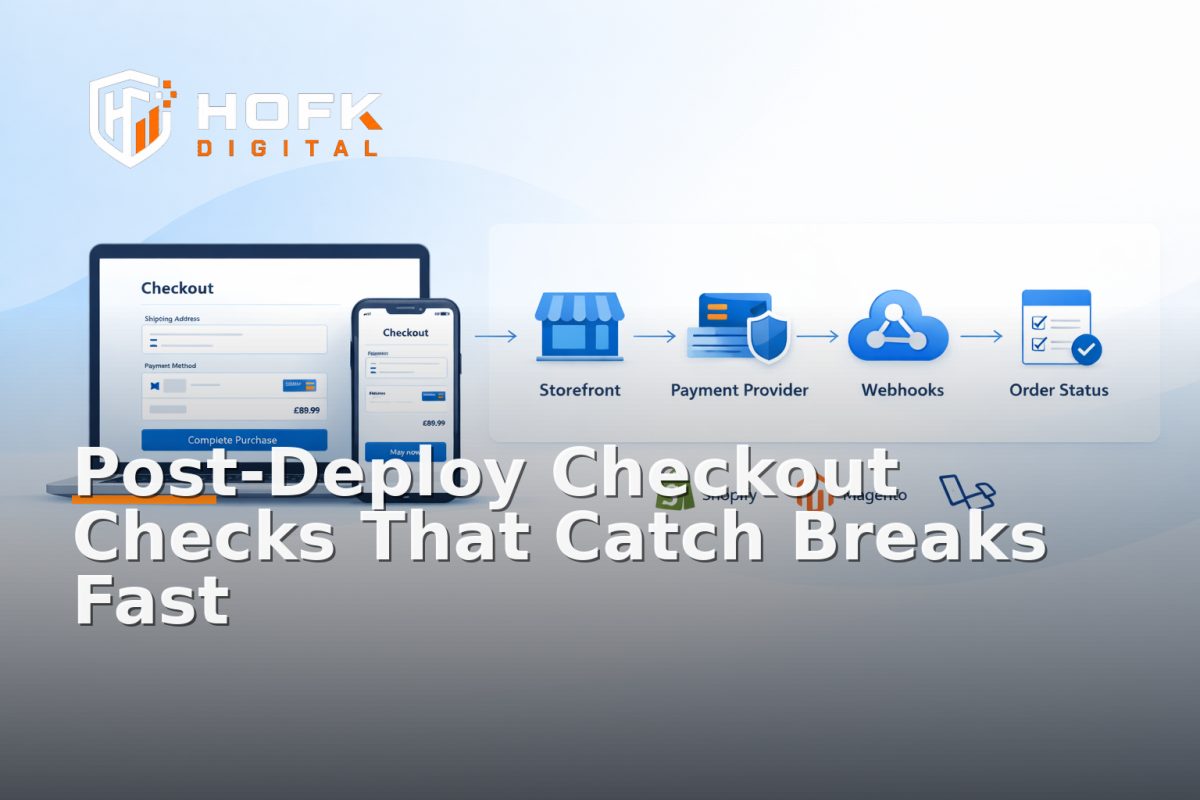
How to Build Post-Deploy Payment Handoff Smoke Tests for Shopify, Magento and Laravel Ecommerce Stacks
If a checkout change goes live and nobody checks the payment handoff straight away, the first sign of trouble is often not a bug report. It is a quiet drop in orders, a missing webhook, a stale order state, or a thank-you page that says the purchase completed when the backend never received the right signal. That is why checkout smoke tests should be part of the release process, not something the team hopes will be covered by general QA.
This article is about a very specific kind of post-deploy check: the lightweight test pack you run after a release to confirm that the payment-provider handoff still works, the order state is updated correctly, and the live environment behaves as expected. The focus is on Shopify, Magento and Laravel ecommerce stacks, because each one tends to fail in a different place.
The aim is not to replace pre-launch testing. It is to build release confidence testing into the minutes after deployment, when you can still roll back, disable a route, or pause traffic before a small issue becomes a trading problem.
What checkout smoke tests should prove after deploy
Post-deploy checkout checks do not need to cover every scenario. They need to answer a few commercial questions quickly:
- Can a shopper still reach checkout and complete payment?
- Does the payment provider return the expected success or failure response?
- Is the order created or updated in the right system?
- Does the order state match what the user saw on screen?
- Did the payment handoff preserve the right reference, session or basket?
If you can answer those confidently, the release is probably safe enough for live traffic. If you cannot, the problem is usually not cosmetic. It is structural.
Why post-deploy checks matter more than a clean staging run
Many ecommerce teams test well before release but assume the same behaviour will continue after deploy. In practice, that is where hidden differences appear. Environment-specific config, cached assets, webhook delays, payment credentials, app overrides and route changes can all create issues that staging did not expose.
A clean staging run only proves that the flow worked in that environment. A post-deploy smoke test proves that the live environment still matches the expected handoff path. That distinction matters because payment flows are usually split across several systems:
- the storefront
- the basket or cart service
- the payment provider
- the order management or backend system
- the webhook or callback handler
- the confirmation page or customer account area
When any one of those changes, the handoff can drift.
The release-confidence model: test the path, not the page
A useful way to think about release confidence testing is this: you are not checking whether a page looks right. You are checking whether the payment path still has one consistent story from click to order creation.
The minimum story your smoke test should confirm
- The user can add a product or basket item.
- The user can choose a payment method.
- The payment provider accepts the transaction or test payment.
- The callback or redirect returns to the right environment.
- The order is visible in the admin or backend with the expected status.
- The confirmation page, email or order record reflects the same result.
That is the heart of checkout smoke tests. Everything else is secondary.
What to include in a post-deploy payment handoff smoke test pack
If you want the checks to be repeatable, keep the test pack short and predictable. It should be a known sequence that anyone on the release rota can run in a few minutes.
1. Environment sanity check
Before testing the payment flow, confirm you are in the right environment. This sounds basic, but release mistakes often come from live, staging and preview environments being too easy to confuse.
- Check the domain and subdomain.
- Check the payment mode.
- Check any feature flags or release toggles.
- Check that test credentials are not being used in live trading.
If your team uses separate payment endpoints or store views, verify them before the first transaction. VERIFY: the exact environment naming and toggle setup will depend on your stack.
2. Basket to checkout transition
Confirm that the basket contents carry through to checkout cleanly. The item, quantity, price and discount state should still match what the user selected. This is especially important if the deploy touched basket rendering, pricing rules, checkout routes or session handling.
3. Payment-provider handoff
This is the key step. The handoff should preserve the order reference, basket reference or session context, depending on how your stack is built. A post-deploy test should confirm that the shopper reaches the payment provider and returns with the right identifiers intact.
Look for:
- the expected payment method appears
- the redirect or embedded flow completes
- the provider response is accepted by the store
- the callback or webhook arrives once, not twice
4. Order-state verification
After the payment is complete, verify the backend state. The order should move to the correct status and the record should contain the expected transaction reference, total and customer details.
This is where basket and payment QA becomes operational rather than visual. A confirmation page that says success is not enough if the backend order is still pending, unpaid or duplicated.
5. Customer-facing confirmation
Check the thank-you page, order confirmation email or account page. The customer should see the same outcome as the backend. If the front end says one thing and the admin says another, your release is not really complete.
How the checks differ by platform
Shopify, Magento and Laravel can all support stable checkout flows, but the fragile point is different in each one. Your smoke tests should reflect that.
Shopify: check the app and checkout handoff
In Shopify, post-deploy problems often appear around app interactions, checkout settings, script changes or theme updates that affect the journey before the handoff to checkout. If the release touched a theme section, app embed, cart drawer or tracking script, test the path carefully.
Useful Shopify checks include:
- basket contents survive the jump into checkout
- discounts and shipping logic still apply
- payment methods still appear as expected
- order status in Shopify Admin matches the successful payment
- apps have not introduced duplicate redirects or stale state
If your team uses Shopify plus additional scripts or apps, a theme change can appear small while still affecting the payment path. That is where checkout smoke tests save time.
Magento: check checkout modules, totals and order placement
Magento releases often involve more moving parts: modules, custom checkout logic, totals collectors, payment gateways and third-party integrations. Post-deploy checks should confirm that the checkout still calculates correctly and that the order gets placed with the right state and references.
Useful Magento checks include:
- totals still calculate correctly after basket edits
- shipping methods appear and update correctly
- payment selection does not reset state
- the order is created in the admin with the correct increment and status
- webhooks or callbacks update the order only once
If the deploy changed modules or cache behaviour, watch for stale frontend state. Magento can look fine until the final handoff, then fail because one module or state update did not carry through.
Laravel: check the custom handoff and order lifecycle
Laravel stacks are often more custom, which is useful because the system can fit the business well, but it also means your post-deploy checks need to match the implementation. If the payment flow passes through custom controllers, middleware, jobs or webhook handlers, smoke tests should confirm that every step still writes the right state.
Useful Laravel checks include:
- session or basket references survive the payment redirect
- the payment callback is received and processed
- queued jobs or listeners do not delay the order update unexpectedly
- the order lifecycle moves from pending to paid in the expected sequence
- the confirmation page reads the same source of truth as the backend
If the release touched session handling, route changes or webhook logic, you should consider the payment handoff at risk until the smoke test says otherwise.
Build a test pack that is fast enough to use every time
Smoke tests only work if people actually run them. That means the pack needs to be short, clear and worth repeating after every deploy.
A practical 10-minute post-deploy sequence
- Open the live environment and confirm the right version is deployed.
- Add a known product to basket.
- Proceed to checkout and confirm totals.
- Choose the usual payment method or a safe test route.
- Complete the transaction.
- Verify the order appears in the backend/admin system.
- Check the order status, payment reference and total.
- Open the confirmation page or email.
- Record any mismatch.
- Roll back, pause or investigate if the handoff failed.
This is enough for most releases. It is not intended to replace broader QA or user acceptance testing. It is a release gate.
What to log during each smoke test
Good release confidence testing is not just about whether the flow passed. It is about making the result easy to interpret later.
For each test, log:
- deploy time
- environment
- payment method used
- basket item or order reference
- backend order number
- payment provider transaction reference
- result of the order-state check
- any mismatch or delay
That record gives your team something useful if the same issue appears later. It also helps separate a one-off delay from a genuine release problem.
Common failure patterns to watch for
Post-deploy payment handoff issues tend to repeat in a few familiar forms. If you know them, you can diagnose the issue faster.
- Redirect mismatch: the user returns to the wrong URL or environment.
- Stale session: the basket or order reference disappears after payment.
- Duplicate order: the callback or retry logic creates more than one record.
- Pending order state: payment succeeded but the order never updated properly.
- Confirmation drift: the thank-you page shows success but the backend says otherwise.
- Webhook delay: the state eventually updates, but not soon enough to support the customer journey.
These issues can be subtle. The site may still trade, but the release confidence is gone until the handoff is verified.
How to make the smoke test part of the release process
The best way to keep checkout smoke tests useful is to make them part of the deploy checklist, not an optional extra. That means assigning an owner, defining the test sequence and deciding what counts as a pass or fail.
A simple release rule
Do not open traffic, emails or ads until the smoke test passes. If the test fails, pause, inspect and retest before allowing normal trading to resume.
That rule is especially important if the deploy changed checkout scripts, payment settings, routing, session handling or order processing. A small technical change can have a large commercial impact.
Where HOFK fits
HOFK works across ecommerce, full stack development, website monitoring, automation and operational software, so this kind of release process is usually approached as a workflow problem as much as a code problem. In practice, that may mean defining the smoke test pack, tracing the handoff between storefront and payment provider, or making the order-state check easier to run after every deploy.
For stores with Shopify, Magento or Laravel stacks, the useful work is often not adding more tests. It is making the right tests short enough, clear enough and specific enough to protect the live checkout.
Conclusion
Checkout smoke tests are most useful when they focus on the payment-provider handoff, the order-state update and the live environment after deploy. A good post-deploy test pack does not try to cover everything. It proves that the basket, payment and order system still agree with one another after a release.
If you run Shopify, Magento or Laravel ecommerce stacks, the exact failure point will differ, but the principle is the same: test the handoff, check the order state and log the result before you rely on the release. That is what release confidence testing is for.
If you need help building a practical post-deploy test pack, improving website monitoring or tightening the technical handoff behind your ecommerce stack, HOFK can help with full stack development and ecommerce support.
checkout smoke tests are easiest to trust when they are short, repeatable and tied to the live payment handoff.
VERIFY: specific payment methods, webhook behaviour and admin state names vary by platform and implementation.
Related internal reading: if you want to go deeper into adjacent release checks, see HOFK’s articles on basket state drift, checkout delivery messaging, mobile landing page QA and Laravel session handoff failures.
Frequently asked questions
What are checkout smoke tests?
Checkout smoke tests are short post-deploy checks that confirm the payment path still works, the order is created correctly and the customer sees the right confirmation.
How are post-deploy checkout checks different from pre-launch QA?
Pre-launch QA tests the build before it goes live. Post-deploy checkout checks confirm the live environment, payment handoff and order-state updates still work after release.
What should I verify after a payment provider handoff?
Check that the payment is accepted, the callback or redirect returns correctly, the backend order state updates and the confirmation page matches the backend record.
Do Shopify, Magento and Laravel need different smoke tests?
Yes. The same outcome matters on all three, but the failure points are different. Shopify often needs app and checkout checks, Magento often needs totals and module checks, and Laravel often needs session and webhook checks.
How many tests should be in the release pack?
Only enough to prove the handoff still works quickly. A short repeatable sequence is better than a long checklist that nobody runs after every deploy.