

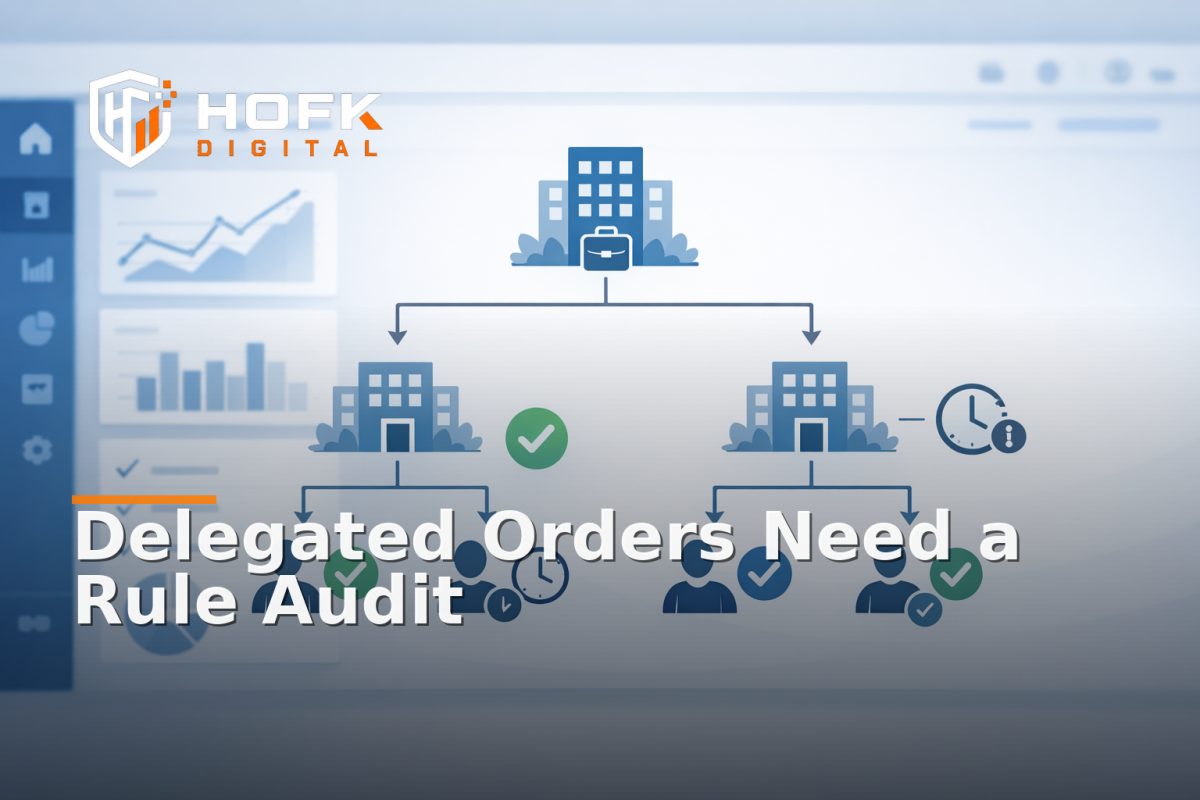
How to Audit Delegated Ordering Rules in a B2B Ecommerce Account Hierarchy
If a B2B ecommerce portal lets the wrong person place an order, the problem is rarely just access. More often, it is a rule issue: who can order for whom, which account level wins, whether an approval is required, and what happens when a delegation expires or overlaps with another role.
That is why delegated ordering needs its own audit. A generic permissions review can tell you who can log in or see a price list, but it will not always catch the operational detail that matters in trade portals: parent accounts ordering for branches, branch users ordering on behalf of stores, managers approving exceptions, and temporary delegation being used beyond its intended window.
This guide is for ecommerce managers, merchandisers, operations leads and trade portal owners who need to review delegated ordering rules in a structured way. The focus is narrow: how to check rule precedence, approval routing, expiry logic, audit trails and failure states across an account hierarchy ecommerce setup.
Start with the business question the portal must answer
Before you inspect any setting, write down the real question the portal should answer:
When one user places an order on behalf of another account, which rule decides whether that order is allowed, approved, blocked or routed elsewhere?
That question sounds simple, but most trade portals have several layers involved:
- parent account rules
- branch account rules
- user-level permissions
- product-level restrictions
- approval rules
- temporary delegation rules
If those layers are not clearly ordered, the portal can behave differently depending on the route the user takes. A delegated order may succeed in one screen and fail in another, or it may land in the wrong approval queue.
Map the account hierarchy before auditing the rules
A delegated ordering audit only works if the hierarchy is documented first. In a B2B portal, the hierarchy usually includes more than one commercial level.
Typical hierarchy layers
- Parent account - the top-level commercial owner, often responsible for billing or central control.
- Branch account - a location, depot, store or site that may have its own ordering limits.
- User role - the individual login, which may be allowed to order, request approval or only view information.
- Delegation layer - a temporary or permanent right to act for another account, branch or role.
Write the hierarchy down as it exists in the system, not as the business assumes it should exist. A lot of trade portal access control problems begin because the sales team, operations team and development team each describe the account model slightly differently.
Useful questions to answer early:
- Can a parent account order for a branch?
- Can a branch user order for another branch under the same parent?
- Can a manager approve orders placed by a subordinate role?
- Can one user act on behalf of multiple accounts?
- Does the hierarchy change by product type, value or customer group?
Audit rule precedence first, not just rule presence
Most teams know which rules exist. Fewer know which rule wins when two rules conflict. That is the core of a delegated ordering audit.
For example, the portal might have:
- a parent account rule that allows delegated ordering
- a branch rule that blocks ordering over a value threshold
- a user role rule that requires approval for certain products
- a temporary delegation that expires at the end of the month
If all four apply to the same order, the portal needs a clear precedence order. Otherwise, the outcome depends on implementation detail rather than business logic.
Check precedence in real order scenarios
Test the same order through different paths and note the outcome. For example:
- parent user orders for a branch within threshold
- branch user orders for the same branch within threshold
- delegated user orders on behalf of another branch
- same delegated user orders after the delegation expires
If the result changes unexpectedly, the precedence model is not clear enough. In a B2B ecommerce portal, that can create invisible commercial risk because the page may look correct while the order is being routed or approved in the wrong way.
Check approval routing as a separate control
Approval routing is not the same as permission to order. A user may be allowed to submit an order but still require approval from a manager, parent account owner or central trading team.
When auditing delegated ordering rules, check where the order goes after submission:
- Does it go straight to fulfilment?
- Does it sit in a pending approval queue?
- Does it route to the parent account owner?
- Does the approver change depending on the branch or value?
- Does the route change for certain products, brands or categories?
Approval routing is one of the most common places where trade portal access control becomes operational rather than just technical. If the right user can place the order but the wrong person approves it, the workflow is still broken.
Look for routing gaps
A good audit should expose these failure states:
- orders that disappear from the queue
- orders routed to a user who no longer has authority
- orders approved automatically when they should not be
- orders blocked with no clear next step
- orders sitting pending because no approver was assigned
If those gaps exist, the portal may need clearer fallback logic rather than just a permissions tweak.
Test delegation expiry and renewal properly
Temporary delegation is useful, but it is also easy to mis-handle. A delegated ordering rule should not continue silently after the expiry date, and it should not disappear early because of timezone, sync or cache issues.
For each delegation type, check:
- start date and end date
- timezone used for expiry
- whether the portal shows the delegation status to the user
- whether renewal creates a new record or overwrites the old one
- whether the expiry is enforced at login, basket or final submit
This matters because expiry logic can fail in subtle ways. A user may still see delegated permissions in the interface after the rule should have ended. Or the reverse: the portal may block a valid delegation because the expiry check fires too early.
When delegation is time-based, document whether the portal enforces the rule at:
- authentication
- basket creation
- order submission
- approval
- order export or sync
Different enforcement points can produce different results. The audit should make that visible.
Audit the audit trail, not just the outcome
If delegated ordering is important, the record of what happened matters almost as much as the order itself. You need to know who acted, on whose behalf, under which rule and at what time.
At minimum, the audit trail should show:
- the acting user
- the account or branch being represented
- the rule or delegation used
- the order value and product scope
- the approval route, if any
- the timestamp and expiry context
This is especially important where a parent account, branch account or user role can place orders on behalf of others. Without a clear trail, operations teams can struggle to explain why an order was allowed, and support teams can struggle to resolve disputes.
Questions to ask the log
- Can we tell who initiated the action?
- Can we tell who the order belonged to commercially?
- Can we tell which hierarchy rule was used?
- Can we see whether the order was delegated or direct?
- Can we reconstruct the route later if there is a query?
If the answer to any of those is no, the audit trail is too thin for a trade portal with account hierarchy ecommerce logic.
Test failure states as deliberately as success states
One of the biggest mistakes in B2B portal permissions testing is focusing on the happy path. Delegated ordering usually fails at the edges, not on the obvious route.
Useful failure-state tests include:
- delegation expired yesterday
- parent account permission removed mid-session
- branch user attempts to order above limit
- manager approves an order they should only review
- same user belongs to two branches with different rules
- temporary delegation overlaps with a permanent role
For each test, check what the portal does:
- block immediately
- route to approval
- allow with warning
- fall back to another account owner
- record an exception
If the portal simply shows a generic error, the rule set is too opaque. Users need to know whether the problem is a permission issue, an expired delegation, a product restriction or a missing approver.
Check for rule drift between frontend, backend and exports
Delegated ordering rules often drift across layers. The UI may show one thing, the basket logic may enforce another, and the export or ERP sync may apply a third interpretation. That is where a technically credible audit becomes useful.
Compare the same delegated order in three places:
- what the user sees in the portal
- what the backend or API records
- what the downstream order export receives
If those layers disagree, the portal is not governing the hierarchy cleanly. It may look fine to the user while storing a different commercial truth behind the scenes.
This is where HOFK often fits: delegated ordering frequently spans frontend state, backend logic, approval workflows and integration rules. If those pieces do not line up, the issue is not just permissions. It is system design.
Build a practical delegated ordering audit checklist
Use this sequence when reviewing a live B2B ecommerce portal:
- Document the hierarchy from parent to branch to user.
- List every delegated ordering rule and who owns it.
- Define which rule wins when two rules conflict.
- Test approval routing for direct, delegated and expired cases.
- Check expiry enforcement at each stage of the journey.
- Review the audit trail for acting user, represented account and rule used.
- Compare frontend, backend and export behaviour for the same order.
- Repeat the tests for a branch account, parent account and manager role.
That is usually enough to expose the most important control gaps without turning the audit into a full platform review.
What a good delegated ordering model looks like
A healthy account hierarchy ecommerce model is usually clear enough to explain in a few sentences:
- who can order
- who can order on behalf of whom
- which rules take priority
- which orders need approval
- when delegation ends
- how the action is recorded
If your team needs a spreadsheet to decode that logic, the rules are probably too hard to maintain. The goal is not to remove human judgement entirely. It is to make delegated ordering predictable enough that the business can trust it.
Where HOFK can help
HOFK works with B2B ecommerce, full stack development, responsive websites, SEO, Google Ads and operational software. In projects like this, the useful work is often not just reviewing permissions on paper. It is tracing how the delegated ordering rules behave across the portal, backend and connected systems.
That can include:
- reviewing account hierarchy ecommerce logic
- checking approval routing and expiry behaviour
- validating trade portal access control across roles
- reconciling frontend and backend order rules
- making the delegated order trail easier to audit later
For businesses where branch accounts, parent accounts and user roles all interact, the technical detail matters. A portal only works well if the rules behind it are consistent.
Conclusion
If your B2B ecommerce portal supports delegated ordering, do not stop at a general permissions review. Audit the rules that decide who can order on behalf of whom, which rule wins when they conflict, how approvals are routed, when delegation expires and what the audit trail records.
That is the difference between a portal that merely controls access and one that supports real account hierarchy ecommerce behaviour safely. If delegated ordering rules are unclear, the business may still trade, but it will trade with avoidable risk. A focused audit gives you a cleaner way to manage parent accounts, branch accounts and role-based ordering without relying on guesswork.
If you need help reviewing the technical and operational side of delegated ordering, HOFK can support with full stack development, B2B ecommerce and the implementation detail behind more reliable portal control.
Target keyword: B2B ecommerce portal
Related terms: B2B portal permissions, account hierarchy ecommerce, delegated ordering rules, trade portal access control
Publish date: 2026-07-10
Suggested internal links: see the links section for related HOFK articles and services.
VERIFY: exact order-routing behaviour, approval thresholds and expiry enforcement vary by platform and implementation.
Excerpt for archive: Delegated ordering in a B2B ecommerce portal can look fine on the surface and still fail in the detail. Here’s how to audit rule precedence, approvals and expiry.
Suggested next steps
- Document one real parent-to-branch delegated order.
- Test the same order with and without expiry active.
- Compare frontend, backend and export behaviour.
- Record the precedence order for any conflicting rules.
Frequently Asked Questions
What is delegated ordering in a B2B ecommerce portal?
Delegated ordering is when one user, branch or parent account can place an order on behalf of another account or commercial entity within the portal.
What should I audit first in an account hierarchy ecommerce setup?
Start with rule precedence. You need to know which rule wins when a parent account rule, branch restriction, user role and delegation all apply at once.
How is delegated ordering different from B2B portal permissions?
Permissions tell you who can access or act in the portal. Delegated ordering goes a step further by defining who can act on behalf of whom, under what conditions and for how long.
Why does delegation expiry matter?
Temporary delegation can create risk if it continues past its intended end date or expires too early because of timezone, sync or implementation issues.
What should the audit trail include?
At minimum, it should show the acting user, the represented account, the rule used, the order value, any approval route and the timestamp.