

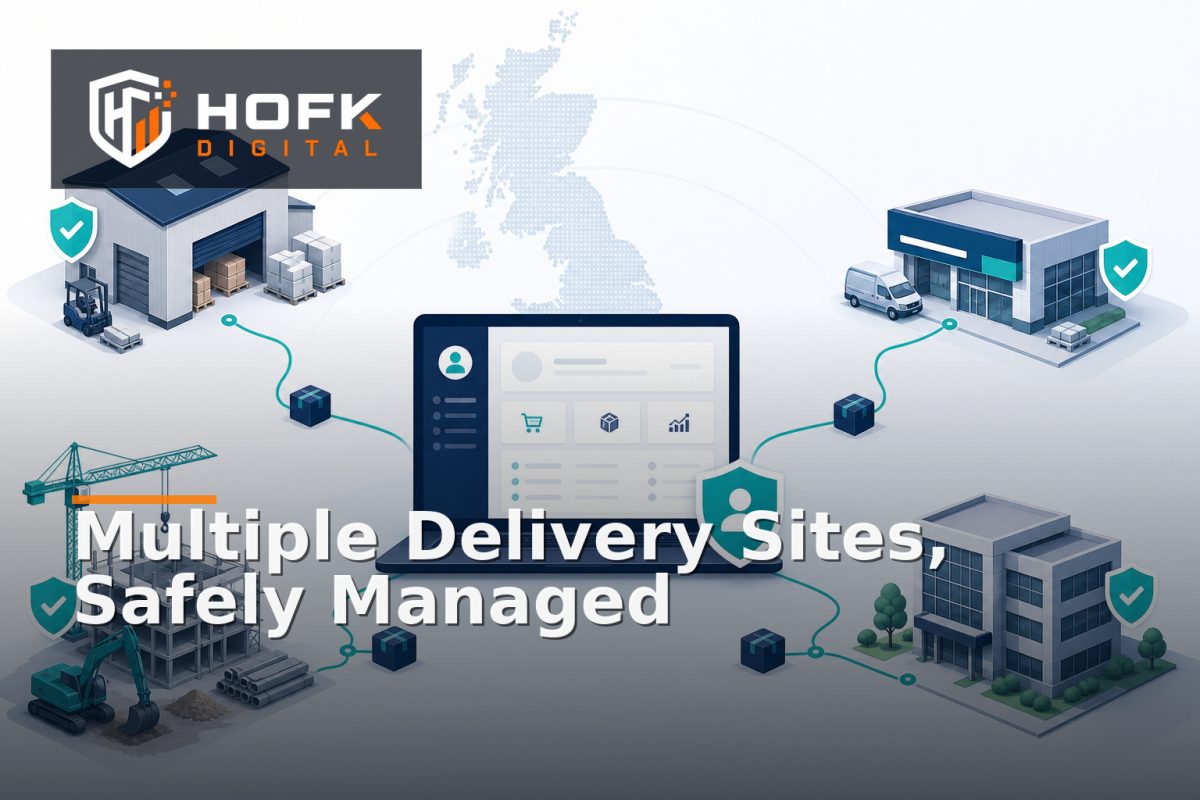
How to Let B2B Customers Manage Multiple Delivery Locations Safely
A trade customer may order for a head office, branch, construction site, warehouse or customer project. If the portal only supports one saved address, the customer is pushed back towards email and manual intervention. If it allows unlimited address creation without controls, the business may lose visibility of where goods are being sent.
That is the challenge behind B2B ecommerce multiple delivery addresses. A useful solution needs to balance convenience with account ownership, delivery accuracy, pricing rules, fraud prevention and fulfilment requirements.
This guide explains how UK trade portal owners and B2B operations managers can let customers manage multiple delivery locations while keeping the ordering process controlled and auditable.
Why multiple delivery locations need more than an address book
A delivery location is not simply a block of text saved against a customer account. It can affect carrier availability, delivery charges, VAT treatment, stock allocation, service levels, branch reporting and who is allowed to place an order.
For a B2B account, several records may be related:
- The parent company or trading account
- Branches, sites or project locations
- Users who can view or use each location
- Billing and delivery relationships
- Account-specific prices and payment terms
- Delivery methods, restrictions and carrier notes
If those relationships are not modelled clearly, a customer may select a valid-looking address that belongs to the wrong branch, use a location they should not access or send an order to a site that cannot receive the chosen product.
Define the account model before building trade portal delivery locations
Start by deciding how delivery locations relate to the customer account. Avoid allowing every saved address to become a completely independent customer record unless the commercial model genuinely requires that.
A practical structure might include:
- Parent account: the main commercial customer, with shared pricing and payment terms.
- Branch or site: a permitted delivery location linked to the parent account.
- Portal user: an individual who may be allowed to view, create, edit or use selected locations.
- Order: a transaction linked to the account, user and delivery location selected at the time of ordering.
This gives the business a stable account relationship while allowing the customer to manage operational locations. It also supports better reporting because orders can be grouped by parent account, branch or project site without duplicating the entire customer record.
Separate billing addresses from delivery addresses
One of the most important controls in B2B shipping address management is keeping billing and delivery concepts separate. A customer may have one legal or finance address but many places where goods are delivered.
The portal should make the distinction obvious. A delivery location should not silently overwrite the billing address, customer account name or payment details. At order review, show both where appropriate:
- Billing account or invoice address
- Selected delivery location
- Contact person for the delivery
- Delivery instructions or site notes
- Expected delivery method and charge
This helps customers check the order before submission and gives finance, fulfilment and customer service a consistent record to work from.
Use account ordering address controls based on roles
Not every portal user should have the same control over delivery locations. A central procurement manager may manage all branches, while a local buyer should only see or use the site assigned to them.
Define permissions such as:
- View only: the user can select approved locations but cannot change them.
- Use existing locations: the user can choose from locations already approved for their branch or role.
- Request a new location: the user can submit a proposed address for review.
- Create and edit: an authorised account administrator can manage locations for the parent account.
- Approve: a nominated internal or customer-side owner can approve new locations before they become orderable.
Do not rely only on hiding buttons. The permission should also be enforced when a user submits the basket or order. A user who cannot use a location should not be able to bypass the rule by changing a URL, reusing an old session or submitting an edited request.
Decide whether customers can create addresses instantly
There are two common models for new delivery locations.
Immediate customer-created locations
This can suit low-risk products, established accounts and businesses where delivery addresses change frequently. The customer adds a location, confirms the details and uses it immediately.
Even in this model, apply validation, duplicate detection and an audit trail. A customer should not be able to create several slightly different versions of the same site without explanation.
Approval before use
This is safer where orders involve high-value goods, credit accounts, restricted products, complex delivery requirements or multiple branches. The customer can request a new location, but the address remains pending until an authorised person reviews it.
Use clear states such as:
- Draft
- Pending approval
- Approved for ordering
- Rejected or requires clarification
- Archived
Keep the internal status separate from the customer-facing message. The customer may see that a location is awaiting review, while the internal queue records the exact reason and next action.
Validate more than the postcode
Address lookup can reduce typing, but it does not prove that a delivery location is operationally suitable. A valid postcode may still lead to an incomplete address, a restricted site or a location that cannot accept the selected delivery service.
Check whether the workflow captures the information needed by the carrier and fulfilment team, such as:
- Company, site or branch name
- Building number or name
- Street, town and postcode
- Country
- Named site contact
- Telephone number where operationally necessary
- Delivery instructions, access details or opening times
Keep manual entry available when lookup cannot find a suitable result. HOFK's guide to checkout address form optimisation covers the balance between address lookup, manual entry and delivery accuracy in more detail.
VERIFY: confirm the address fields, carrier restrictions and delivery rules against your current fulfilment partners and product types before implementation.
Recheck the location at order time
An approved address can become outdated. A branch may move, a delivery service may change, or a product may require a different transport route. The order should therefore revalidate the selected location before submission.
At order time, check:
- The location is still approved and active
- The user is still allowed to use it
- The selected products can be delivered there
- The chosen delivery method is available
- Any surcharge or extended delivery time is shown
- The address stored on the order matches the customer-facing selection
Do not silently replace the customer's chosen location with a different normalised address. If the system needs to correct or amend the record, show the customer what changed and require confirmation where appropriate.
Keep address history separate from the current address
Addresses should not be overwritten without retaining history. Historic orders need to preserve the delivery location used at the time, even if that branch is later renamed, closed or edited.
A useful address record can include:
- Stable location ID
- Parent account reference
- Current address fields
- Created and updated dates
- Status and approval history
- Who created or changed the location
- Reason for deactivation or amendment
Orders should store a reliable snapshot of the address used for fulfilment, alongside the relationship to the account and location record. This supports customer service, returns, invoice queries and delivery investigations.
Connect addresses to pricing, delivery and approval rules
Multiple locations become more valuable when they connect to the wider B2B ordering workflow. A location may determine which delivery service is available, whether a surcharge applies, whether stock can be supplied from a particular warehouse or whether the order needs review.
Document which rules depend on the location. For example:
- Some branches may have negotiated delivery terms.
- Some sites may require a minimum order value.
- Some products may be unavailable to certain regions.
- Orders to temporary project sites may require operational approval.
- A location may have a different contact or delivery window.
HOFK's article on B2B ecommerce order approval workflows explains how defined exceptions can be routed to the right reviewer without holding routine orders unnecessarily.
Build an address management test matrix
Do not test only one administrator account. Use realistic account and user scenarios.
- Parent account administrator creates a new location.
- Branch user views and uses an approved location.
- Branch user attempts to use a location assigned to another branch.
- User requests a new location and the request enters approval.
- Approved location is archived while an old order still references it.
- Customer changes the location during basket review.
- Delivery method is unavailable for the selected location.
- Two users submit orders for the same account using different sites.
For every test, compare the customer-facing portal, order record, ERP or fulfilment system and internal approval queue. Check the location ID, address snapshot, account reference, delivery service and approval state.
Monitor address exceptions after launch
Once live, monitor the exceptions that reveal whether the process is working. Useful measures include:
- New locations awaiting approval
- Duplicate or near-duplicate address requests
- Orders amended because of address problems
- Delivery failures linked to incomplete information
- Manual overrides of account address controls
- Customer-service contacts about missing or incorrect locations
A high number of manual corrections may indicate weak validation, unclear permissions or a poor handoff into fulfilment. Monitoring should lead to a process decision, not just another dashboard.
B2B ecommerce multiple delivery addresses checklist
- Parent accounts, branches and users are modelled separately.
- Billing and delivery addresses are clearly distinguished.
- Users have role-based access to permitted locations.
- New locations are either validated immediately or routed for approval.
- Address records have stable IDs and an audit history.
- Orders retain the exact delivery address used at submission.
- Delivery, pricing and approval rules can use the selected location.
- Locations are revalidated before order creation.
- Representative account, branch and exception scenarios have been tested.
- Address-related corrections and overrides are monitored.
Where HOFK can help
Managing multiple delivery locations can involve a trade portal, ecommerce platform, CRM, ERP, pricing service, fulfilment workflow and customer permissions. HOFK can help map the account model, improve the responsive ordering journey, connect address data more reliably or build the full stack logic behind controlled location management.
Relevant support may include ecommerce development, full stack development, automation and mobile-ready design. The aim is not to add approval steps for their own sake. It is to help trade customers order for the right location while giving internal teams dependable data.
Conclusion
B2B ecommerce multiple delivery addresses should be treated as an account, permission and fulfilment workflow rather than a simple saved-address feature. Define the account hierarchy, separate billing from delivery, apply role-based controls and decide when a new location needs approval.
Then validate addresses properly, recheck the selected location at order time, preserve historical snapshots and reconcile the portal with ERP and fulfilment records. This creates safer trade portal delivery locations and more dependable account ordering address controls without forcing customers back to email for every new site.
Frequently asked questions
What are B2B ecommerce multiple delivery addresses?
They are multiple approved delivery locations linked to one business customer account, such as branches, warehouses, project sites or customer premises.
Should B2B customers be allowed to create delivery locations instantly?
It depends on the account, product and operational risk. Established accounts with routine goods may use immediate creation, while higher-risk or complex deliveries may need approval first.
How should trade portal delivery locations be controlled?
Use account and user permissions, stable location IDs, address validation, clear approval states and order-time checks to confirm that the selected site is still valid.
Should a delivery address be stored on the order?
Yes. The order should retain a reliable snapshot of the delivery address used at submission, even if the linked account location is later edited or archived.
What is the difference between billing and delivery addresses in B2B ecommerce?
The billing address identifies the account used for invoicing, while the delivery address identifies where that particular order should be sent. They may be different and should be stored separately.