

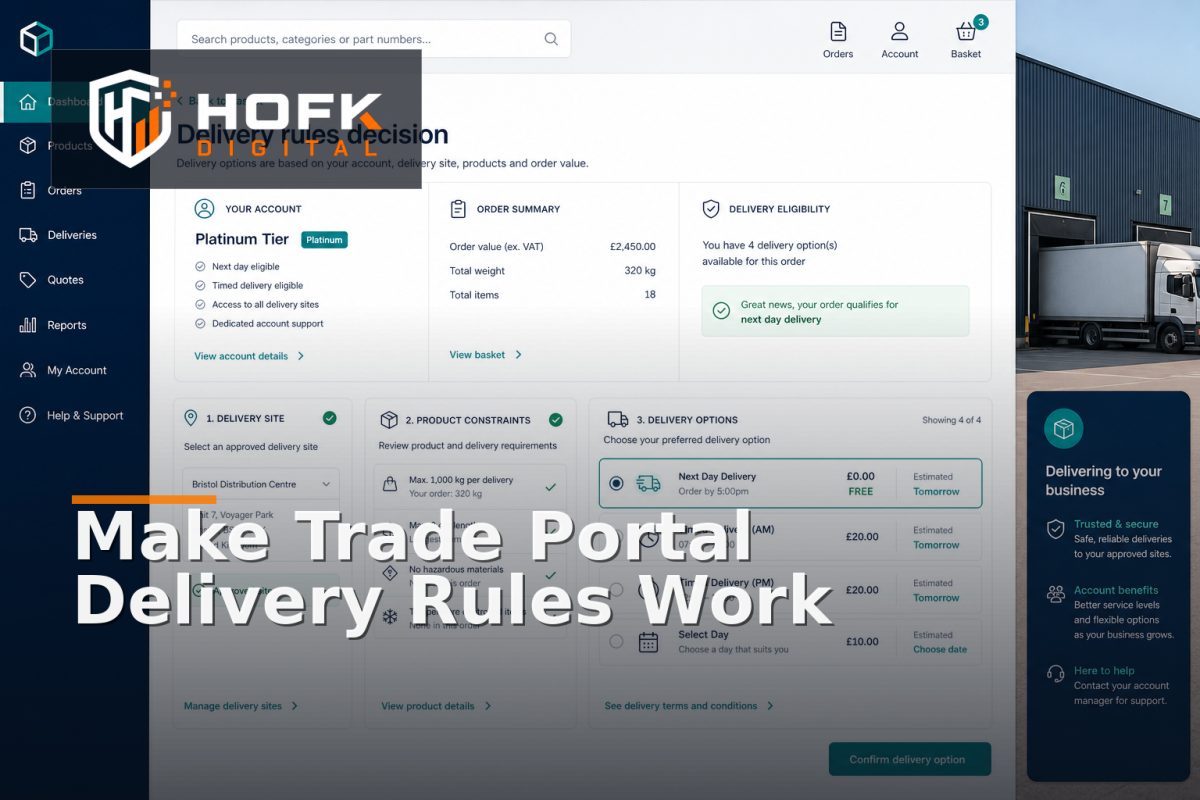
How to Design B2B Customer-Specific Delivery Rules in a Trade Portal
A trade customer may have agreed delivery terms that differ from your standard online offer. One account may receive free delivery above a negotiated threshold, while another may only use a named carrier, collect from a branch or deliver to approved project sites. Some products may also require a separate service, lead time or surcharge.
When these rules live in emails, spreadsheets or staff memory, the portal can show the wrong delivery option or allow an order that fulfilment cannot complete. This is why B2B ecommerce delivery rules need to be designed as a controlled decision layer rather than a collection of checkout exceptions.
This guide explains how UK B2B ecommerce managers and fulfilment leads can model customer-specific delivery options, define rule precedence, protect account permissions and test the handoff between a trade portal, ecommerce platform, ERP and fulfilment process.
What B2B ecommerce delivery rules should decide
A delivery rules engine should answer a practical question: which delivery methods, costs, lead times and restrictions apply to this customer and this order?
Depending on the business, the decision may consider:
- The customer account, price tier or contract.
- The parent account, branch or approved delivery site.
- The products, quantities, weights and dimensions in the basket.
- The destination postcode, region or country.
- Available carriers, depots or collection points.
- Order value, delivery threshold or agreed surcharge.
- Required delivery dates, time windows or site constraints.
- Account permissions, credit status or approval requirements.
Do not start by listing every possible shipping method. Start by documenting the decisions the business already makes manually. The portal should then make those decisions consistently and explain the result clearly to the customer.
Separate account rules from order rules
A customer agreement and an individual order are related, but they are not the same thing. Account-level rules describe the terms normally available to a customer. Order-level rules determine whether those terms apply to the basket in front of the user.
For example, an account may have an agreed delivery rate, but a particular oversized item may require a specialist carrier. A branch may usually receive deliveries, but a restricted product may need collection or operational approval.
Keeping these layers separate avoids two common mistakes:
- Applying a general account rule to an order it cannot support.
- Creating one-off order exceptions that permanently alter the customer account.
A useful model may contain an account delivery policy, permitted delivery locations, product delivery attributes and an order-time calculation. The order should retain the final delivery method, charge and rule references used at submission.
Define the scope of each rule
Every delivery rule should state what it applies to. Without a clear scope, two rules may both appear valid and produce different outcomes.
Common scopes include:
- Account: applies to one customer or account group.
- Branch or site: applies only to approved delivery locations.
- Product: applies to a product, variant, category or handling class.
- Region: applies to a postcode area, country or delivery zone.
- Order: applies when the basket meets a value, quantity or date condition.
Record the scope as data rather than hiding it inside custom code or a spreadsheet note. An authorised user should be able to understand whether a rule applies to the parent account, a single branch or a particular product group.
Set rule precedence before implementation
Trade portal shipping rules often conflict. A customer may have free delivery, a project site may have a surcharge, and the basket may contain a product that cannot use the standard carrier. The system needs a documented order of precedence.
A practical precedence model might be:
- Safety, legal, carrier or product restrictions.
- Delivery destination restrictions and approved site capability.
- Product handling, size, weight or service requirements.
- Account-specific contractual delivery terms.
- Order value thresholds and promotions.
- Standard portal delivery methods.
Your own order may differ. The important point is that the highest-priority rule should be clear. Do not rely on the newest rule, the first rule returned by an API or the order in which a developer happened to write conditions.
When more than one rule applies, the portal should record the selected outcome and the reason. This makes customer service, fulfilment and technical support much more effective when an order is queried later.
Model customer-specific delivery options clearly
Customer-specific delivery options should be understandable to both the customer and the internal team. Avoid presenting a vague option such as “special delivery” when the business actually needs to distinguish between named carriers, timed services, depot collection and project-site delivery.
For each option, define:
- Delivery method name and customer-facing description.
- Eligible accounts, sites, regions or products.
- Price calculation and any minimum order value.
- Expected lead time or delivery window.
- Carrier, depot or fulfilment route.
- Whether the option requires approval or manual confirmation.
- What happens if the option becomes unavailable.
Keep internal codes separate from customer-facing wording. The ERP may use a short carrier code, while the portal needs a message that helps the buyer choose confidently.
Connect delivery rules to approved locations
A valid address is not automatically a suitable delivery site. The location may lack unloading facilities, have restricted access, require a named contact or only support certain carriers.
HOFK’s existing guidance on managing multiple B2B delivery locations covers the account, branch and site model in more detail. For delivery rules, the important point is that each approved location can carry operational attributes such as:
- Permitted delivery methods.
- Opening hours or delivery windows.
- Site contact and access notes.
- Carrier restrictions.
- Whether the location is temporary, active or archived.
Recheck the selected location at order time. A location that was valid last month may no longer support a particular service or product.
Account for product and basket constraints
A delivery rule that only considers the customer and postcode is unlikely to be sufficient for a complex B2B range. Products can change the delivery decision through weight, dimensions, dangerous-goods classification, temperature requirements, availability or required preparation.
Give products structured delivery attributes where possible. Examples include:
- Parcel, pallet, oversized or specialist handling class.
- Eligible carrier or delivery method.
- Minimum lead time.
- Collection-only or quote-only status.
- Whether the product can be combined with other basket items.
- Whether a separate delivery charge applies.
Test mixed baskets as well as single-product orders. The correct result for two standard items may be different when one oversized or restricted item is added. The system should explain the combined delivery outcome rather than silently applying the cheapest or most convenient rule.
Decide how pricing and surcharges are shown
Delivery charges should be calculated consistently and shown before the customer submits the order. If an account has negotiated rates, show the applicable charge or explain when confirmation is required.
Document whether delivery pricing is based on:
- Account agreement or price list.
- Order value or quantity.
- Weight, size or product class.
- Destination zone.
- Carrier service.
- Manual quotation or operational review.
Do not assume that a free-delivery rule means zero operational cost. The portal may show a negotiated customer charge while the internal fulfilment system still needs to record the carrier or cost route. Keep customer pricing and operational cost data distinct.
Build a controlled exception route
No set of B2B ecommerce delivery rules will cover every order. Exceptions are normal in trade commerce, but they should not disappear into email.
Create clear outcomes such as:
- Available to order.
- Available with a stated surcharge.
- Available subject to confirmation.
- Quote required.
- Collection only.
- Unavailable for the selected site or basket.
Each exception should show the reason, owner and next action. If an order requires manual delivery confirmation, the customer should see a clear status rather than a generic checkout error. Internally, the queue should retain the basket, account, location, products and rule that triggered the review.
Test the rules with a representative matrix
Do not test delivery logic only with an administrator account and one standard basket. Use realistic combinations that expose precedence and data-flow problems.
Your test matrix should include:
- Standard account with a routine basket.
- Account with negotiated delivery pricing.
- Parent account ordering for an approved branch.
- Delivery to a temporary project site.
- Oversized or restricted product.
- Mixed basket with different handling classes.
- Postcode with a surcharge or unavailable service.
- Order above and below a free-delivery threshold.
- Delivery option becoming unavailable before submission.
- Order requiring manual approval or quotation.
For every scenario, compare the customer-facing option, portal order, ERP record and fulfilment instruction. Check the account reference, location ID, delivery method, charge, lead time and approval state.
Monitor delivery exceptions after launch
Delivery rules need ongoing review because products, carriers, account terms and sites change. Monitor the exceptions that show where the model is becoming unreliable.
Useful measures include:
- Orders entering manual delivery review.
- Delivery methods unavailable at checkout.
- Orders amended because of incorrect delivery rules.
- Carrier or fulfilment corrections.
- Customer-service contacts about delivery charges or dates.
- Rules overridden manually and the reasons recorded.
- Orders where the portal and ERP contain different delivery outcomes.
Repeated exceptions may indicate poor product data, an outdated account policy, weak site validation or a carrier integration problem. Monitoring should lead to a process decision, not just another dashboard.
B2B ecommerce delivery rules checklist
- Account, branch, site, product and order scopes are documented.
- Rule precedence is defined for conflicting conditions.
- Customer-specific delivery options have clear eligibility and wording.
- Approved locations include relevant operational restrictions.
- Mixed baskets and product handling classes are supported.
- Delivery charges and surcharges are calculated transparently.
- Exceptions have named owners and clear next actions.
- Orders retain the delivery rule and location used at submission.
- Portal, ERP and fulfilment records can be reconciled.
- Delivery overrides and corrections are monitored after launch.
Where HOFK can help
Customer-specific delivery logic can cross a trade portal, ecommerce platform, ERP, CRM, pricing service, carrier integration and fulfilment workflow. HOFK can help map the rules, improve the ordering journey, connect delivery data more reliably or build the full stack logic behind clearer exceptions and monitoring.
Relevant support may include ecommerce development, full stack development, automation and mobile-ready design. The objective is not to add more rules for their own sake. It is to help trade customers see the right delivery choice while giving fulfilment teams dependable information.
Conclusion
Reliable B2B ecommerce delivery rules begin with a clear model of the account, delivery site, product, basket and fulfilment constraints. Define rule scope, document precedence, show customer-specific delivery options clearly and route genuine exceptions to a named owner.
Then test mixed baskets, account agreements, restricted sites, surcharges and changing availability across the portal, ERP and fulfilment process. With that structure, trade portal shipping rules become easier to explain and account-based ecommerce fulfilment becomes more dependable without forcing customers back to email for every unusual order.
Frequently asked questions
What are B2B ecommerce delivery rules?
They are rules that decide which delivery methods, charges, lead times and restrictions apply to a business customer based on its account, site, basket and fulfilment requirements.
How should trade portal shipping rules be prioritised?
Define precedence before implementation. Product, carrier, destination or operational restrictions will often need to take priority over general account discounts or standard delivery options.
How can customer-specific delivery options be shown clearly?
Show the available method, price, lead time and any restrictions in plain language. Keep internal carrier codes separate from the customer-facing description.
Should delivery rules apply to the customer account or the order?
Use both layers. Account rules describe normal agreed terms, while order-time rules confirm whether those terms apply to the selected products, destination and basket.
How do I test account-based ecommerce fulfilment?
Test representative accounts, branches, delivery sites, product types and mixed baskets. Reconcile the portal result with the ERP, fulfilment instruction, delivery charge and final order record.