

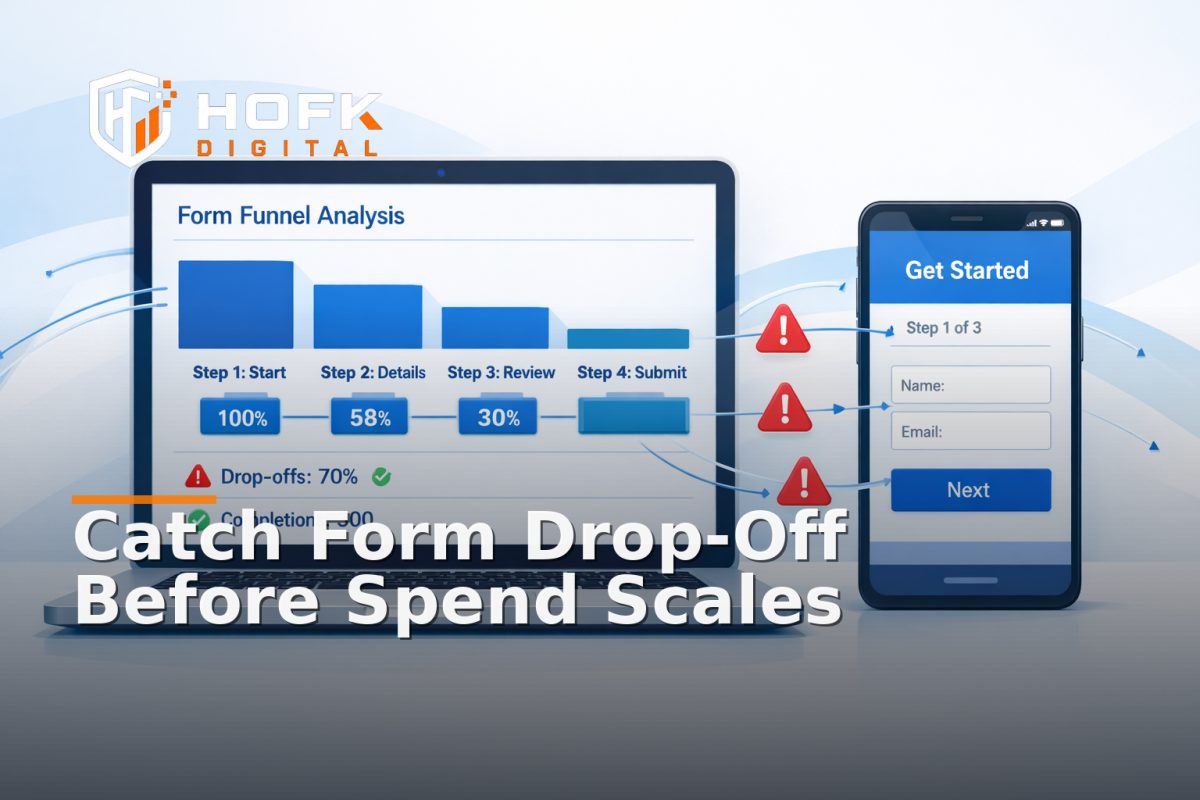
How to Instrument Step-Level Landing Page Form Drop-Off Alerts in GA4 Before Paid Spend Scales
If you are sending paid traffic to a lead form, the first useful question is not “did the form submit?” It is “where did people stop?” That is where landing page form drop-off monitoring becomes useful. Before spend scales, you want a measurement setup that can tell you whether users are leaving on step one, step two, a postcode field, a phone field, or the final submit action.
Most teams already have a conversion event in GA4. The problem is that a single submit event hides the friction that happens before it. If step-level drop-off is not instrumented properly, a landing page can look healthy in reports while quietly losing leads in the form itself. For PPC teams and marketers, that makes form abandonment tracking much harder to act on, because you cannot tell whether the issue is the headline, the audience, the offer, or a specific field in the form.
This article is about the implementation gap: how to build a step-by-step measurement architecture in GA4 or Google Tag Manager so you can see form-stage friction before wasted spend builds up. It is not a general conversion-rate optimisation guide. It is a practical plan for data capture, event design, alert routing and QA.
Why step-level monitoring matters before paid spend scales
Paid traffic is expensive because it arrives with intent. If that intent hits a form and then falls away, the cost is not just the click. It is the missed lead, the weak reporting, and the time your team spends guessing what went wrong.
A single conversion event tells you the form completed. Step-level monitoring tells you where the journey slowed down or stopped. That matters when you are running Google Ads landing page monitoring and need to make fast decisions about budget, creative and landing page changes.
In practice, step-level tracking helps you answer questions such as:
- Are users dropping out before they start the form?
- Which field or step is causing the most abandonment?
- Is mobile performing differently from desktop?
- Do specific campaigns create worse form completion behaviour?
- Is the problem in the page, the form logic or the traffic source?
If you cannot answer those questions, you may still be buying traffic, but you are not yet measuring it in a way that supports scaling.
Start with the form journey, not the report
Before opening GA4 or Tag Manager, map the form as a journey. Keep it simple. You are not designing the UX here. You are defining the events that describe it.
For a single-page form, the journey may include:
- Form viewed
- Form started
- Key field completed
- Step advanced
- Error shown
- Form submitted
- Lead confirmed
For a multi-step form, the journey may look more like:
- Step 1 viewed
- Step 1 completed
- Step 2 viewed
- Step 2 completed
- Review step viewed
- Submission complete
The important point is that each stage needs a clear, measurable definition. If the business cannot tell where one step ends and the next begins, the tracking will be ambiguous later.
Build the event model around user progress
Good landing page form drop-off monitoring depends on a stable event model. The event model should describe progress, not just final outcomes.
Recommended event families
- form_view – the form is visible in the viewport or rendered on the page.
- form_start – the user interacts with the form for the first time.
- form_step_view – a step or field group becomes active.
- form_step_complete – a step is completed successfully.
- form_error – validation or business-rule feedback is shown.
- form_submit – the user attempts to submit the form.
- form_success – the lead is confirmed, accepted, or stored successfully.
In some builds, you may only need a subset of these. The right amount of instrumentation depends on how complex the form is and how quickly the team needs to diagnose issues.
For example, if you are running a short lead form, lead form monitoring might only require view, start, error, submit and success. If the form is multi-step, has conditional logic, or is tied to different campaign offers, you will usually need more granular events.
Use parameters that make the drop-off useful
An event without parameters is usually too thin to act on. The goal is not to collect everything. It is to collect enough context to answer why a form stage failed.
Useful parameters include:
- form_id – identifies the form or landing page variant.
- form_name – human-readable form name for reporting.
- step_number – the current step or field group.
- step_name – a readable label such as Contact details or Delivery details.
- field_name – the field being completed or validated.
- error_type – validation, required field, server response, or business rule.
- campaign_id – the paid campaign or ad group context.
- landing_page_variant – if the page is personalised or A/B tested.
- device_category – mobile, desktop or tablet.
- source – traffic source or channel context.
These parameters make it possible to see whether the same step is failing only on mobile, only from one campaign, or only on one version of the page. That is the difference between a report and a useful diagnostic.
Design the architecture before the alerts
Alerting should come after the event model, not before it. If the data is weak, the alert will be noisy or misleading. A solid setup for landing page form drop-off monitoring usually has four layers:
- Data layer – the page pushes form state and step changes into a consistent structure.
- Tag manager – GA4 events are fired from controlled triggers.
- GA4 property – events and parameters are collected and reported.
- Alert routing – thresholds or anomaly checks notify the right people.
This layered approach matters because a lot of form issues are implementation issues, not reporting issues. If the data layer does not expose the right state, GA4 cannot measure it reliably. If the tag manager trigger is too broad, you may double count steps. If the alert logic has no threshold, your team will end up ignoring it.
Instrument step-level drop-off in Google Tag Manager
For most teams, Google Tag Manager is the practical place to control step-level form events. The aim is to trigger events only when real progress happens.
Good GTM trigger patterns
- Fire form_start only when the user first focuses or types in a field, not on page load.
- Fire form_step_view only when a new step becomes active and visible.
- Fire form_step_complete only when the step passes its own validation rules.
- Fire form_error when the form shows a visible validation or server-side error.
- Fire form_success only after the lead is confirmed by the system, not just after button click.
That last point is important. A submit click is not the same as a confirmed lead. If you measure the click as success, your form data can look better than it really is.
Avoid triggers that are too broad
Common mistakes include firing events on every input keystroke, every page scroll, or every re-render. That creates noise and can make a single user action look like multiple form events. For step-level monitoring, you want meaningful transitions, not every tiny interaction.
Define what counts as drop-off
Drop-off only means something if the business has defined the point where abandonment matters. For a form, that may mean:
- The user saw the form but never started it.
- The user started the form but did not complete the first step.
- The user completed one step but stalled on another.
- The user triggered repeated errors and left.
- The user clicked submit but never reached success.
When you define these stages, you can create alerts that focus on the right failure point. That is much more useful than a generic form abandonment rate.
For example:
- High form_start but low form_step_complete may point to a field-level issue.
- Low form_start relative to page views may point to message mismatch or poor visibility.
- High submit clicks but low form_success may point to validation or backend handoff problems.
Set thresholds before spend scales
Alerts only work if you decide what matters before the campaign is live. Otherwise, every change looks alarming. A practical threshold model for form abandonment tracking is usually based on relative movement rather than exact universal benchmarks.
Use your own history where possible. If that is not available, start with a short baseline period and compare new campaign traffic against it.
Example threshold logic
- Warning – step completion drops materially versus the usual baseline.
- Alert – a specific step shows sustained drop-off across multiple sessions.
- Critical – submit clicks are occurring, but confirmed success events have fallen sharply.
For paid traffic, a sudden change in one step may be enough to justify action if the landing page is already receiving spend. The threshold should reflect how quickly the team needs to respond, not just how much data it has.
Make the alert route operational, not just analytical
A good alert is useless if it lands in the wrong inbox. Before launch, define who should see each type of issue.
- Campaign-level drop-off – PPC manager or performance team.
- Field-level validation errors – developer or implementation owner.
- Step-specific abandonment – marketing and conversion lead.
- Backend handoff failures – technical or operations owner.
This is where HOFK often fits in. If the monitoring stack needs alert routing, automation, or a reliable data handoff between page, Tag Manager and GA4, the useful work is often technical as well as analytical. The best system is the one the team can actually act on quickly.
Track errors as well as exits
Drop-off is only one signal. Error monitoring makes the diagnosis much faster. If a user leaves after repeated validation errors or after a submit failure, the problem is no longer just abandonment. It is a form implementation issue.
Useful error categories to capture include:
- Required field missing
- Format error
- Validation mismatch
- Server-side rejection
- Timeout or unavailable service
- Conditional logic block
For Google Ads landing page monitoring, this is especially important because one campaign may be attracting traffic that triggers a specific error path. If you cannot see that error path, the campaign may be blamed unfairly for a problem in the form.
Use campaign context to compare performance
Step-level tracking becomes much more useful when it is tied to campaign context. A form may perform well from one source and badly from another.
Useful dimensions to compare include:
- Campaign or ad group
- Device category
- Landing page variant
- Traffic source
- New versus returning user
This helps you separate traffic quality from form friction. For example, if one campaign has a lower form-start rate but a normal completion rate once started, the issue may be landing-page messaging rather than the form itself.
QA the setup before the budget increases
Before you trust the monitoring, test the full journey. A useful QA process should include:
- One clean session on desktop
- One clean session on mobile
- At least one intentional error case
- At least one completed success case
- One campaign-tagged visit
Check that the events appear in the right order and that the parameters make sense. If the monitoring shows a step that never happened, or misses a step that did, fix the instrumentation before spend scales. This is one of the most important parts of form-state tracking.
A practical step-level monitoring checklist
- Define the form journey as steps or field groups.
- Agree what counts as view, start, complete, error, submit and success.
- Expose step state in the data layer.
- Fire GA4 events only on meaningful transitions.
- Include form, step, field, campaign and device parameters.
- Set thresholds before paid traffic scales.
- Route alerts to the person who can act.
- Test desktop, mobile and error states before launch.
Why this is worth doing early
Once spend increases, step-level problems become more expensive to diagnose. You may be buying traffic for days before noticing a field that is failing on mobile, a validation rule that blocks completion, or a form step that looks fine in reports but drops people in practice.
By instrumenting the journey early, you give the team a better way to spot wasted spend before it grows. That is the point of landing page form drop-off monitoring: not to produce more charts, but to make sure your paid traffic has a measurable path from click to lead.
Conclusion
If you want reliable landing page form drop-off monitoring, start with the implementation rather than the dashboard. Define the steps, instrument the events in GA4 or Tag Manager, add the right parameters, and set alert thresholds before paid spend scales. That way, form abandonment tracking becomes a useful operational signal instead of a vague report after the fact.
For UK marketers and PPC teams, the goal is simple: make the form journey visible enough that you can spot friction early and act before wasted spend builds up. If your landing pages, forms or event setup need technical support, HOFK can help with Google Ads, landing page implementation, full stack development and website monitoring where the details matter.
Related terms: landing page form drop-off monitoring, form abandonment tracking, lead form monitoring, Google Ads landing page monitoring.
Frequently asked questions
What is landing page form drop-off monitoring?
It is the practice of tracking where users stop in a landing page form journey, so you can see whether they leave before starting, during a specific step, or after submitting.
What is the difference between form abandonment tracking and a normal submit event?
A submit event only tells you that the form was sent. Form abandonment tracking shows where users dropped out before that point, which is much more useful for diagnosing friction.
Should I track every field in GA4?
Not usually. Track the steps or field groups that matter commercially, plus the errors and outcomes that help explain why users leave.
How do I know if my thresholds are sensible?
Start with your own baseline, then compare campaign traffic against it. The alert should reflect the level of change your team needs to act on quickly.
What should I do if submit clicks are high but success is low?
Check the final validation and backend handoff first. That pattern often means the form is failing after the click, not before it.